

A Fix for “You don’t have permission to create items on this site: https://yoursite.sharepo

This post provides a solution to errors like:
“You don’t have permission to create items on this site: https://centennialsoftware.sharepoint.com/sites/pwa. Change your default PWA site or request permission to this site.”
Steps
Step #1: Go to https://www.office.com/
Step #2: Sign in
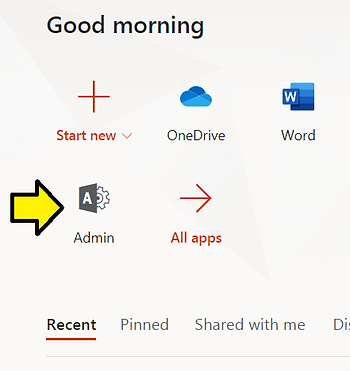
Step #3: Click Admin
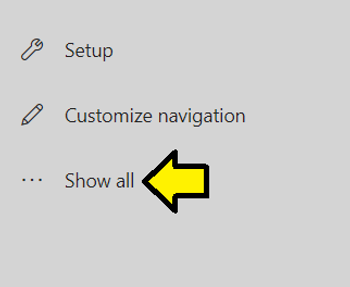
Step #4: Click Show all
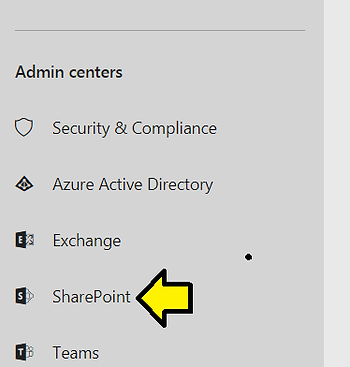
Step #5: Click SharePoint
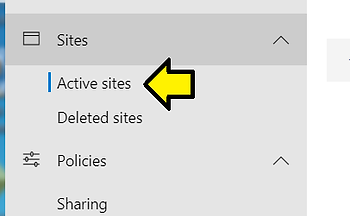
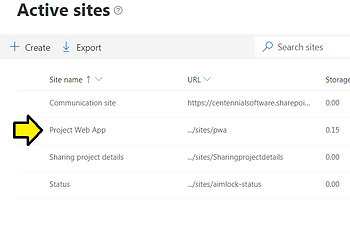
Step #6: Click Active sites
Step #7: Click Project Web App
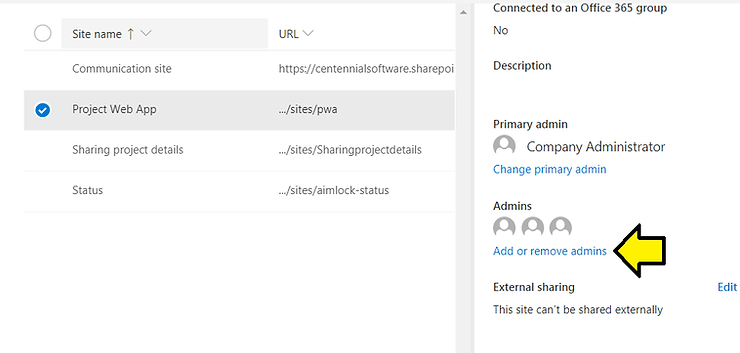
Step #8: Click Add or remove admins
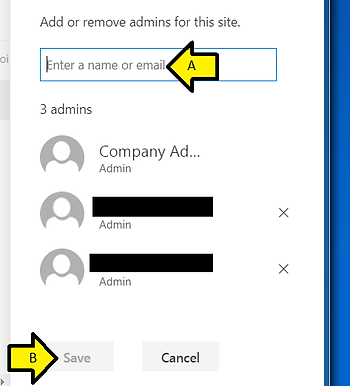
Step #9: Add or remove admins for this site
A) Enter the name of the person getting the error
B) Click Save
Reference
Microsoft Project Web App icon from [link]