

Enable 2019.1 Xilinx SDK BSP Symbols

This post shows how to enable symbols in a 2019.1 Xilinx BSP.
Remember! You can enable syms in the fsbl or the fsbl_bsp, but not both.
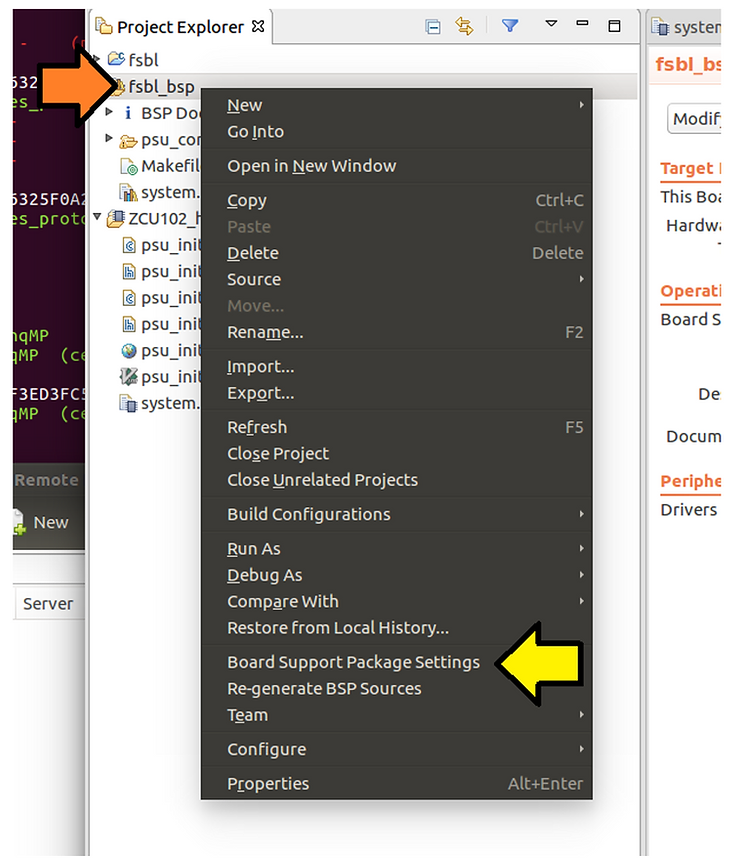
Step #1: Right-click on fsbl_bsp and click Board Support Package Settings.
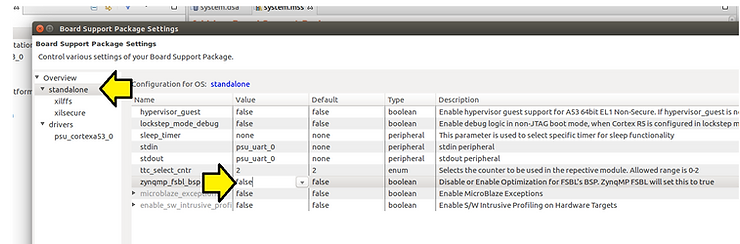
Step #2: Click standalone and set zynqmp_fsbl_bsp to false.
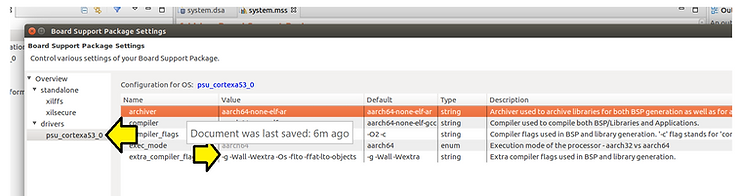
Step #3: Click psu_cortexta53_0, click on -g -Wall -Wextra -Os -flto -ffat-lto-objects.
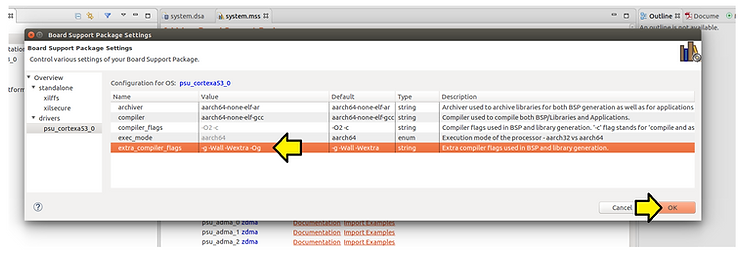
Step #4: Set:
-g -Wall -Wextra -Os -flto -ffat-lto-objects
…to
-g -Wall -Wextra -Og
…and click OK
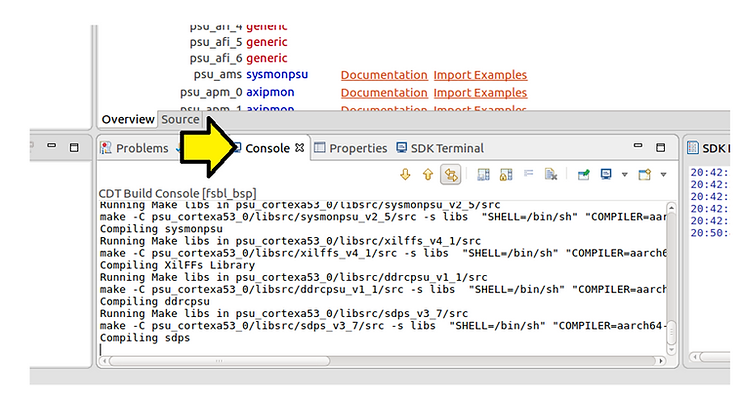
You should see the BSP recompile automatically:
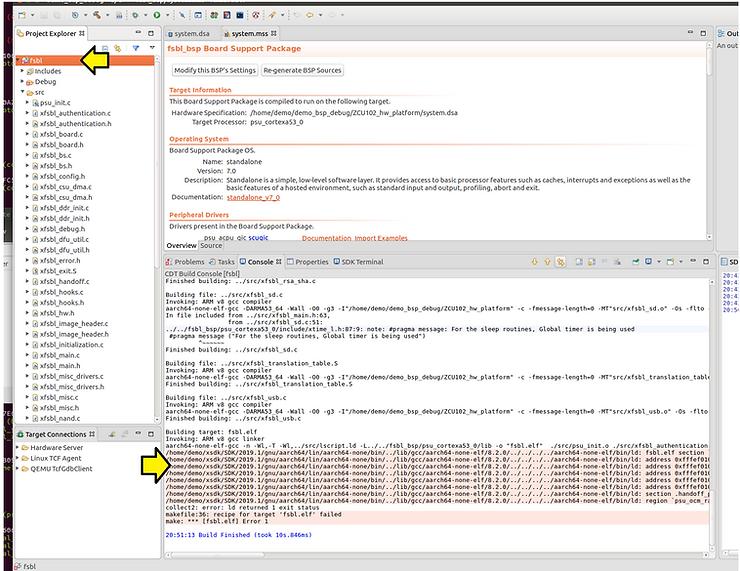
You should see the complete build fail if you haven’t turned off features in the fsbl:
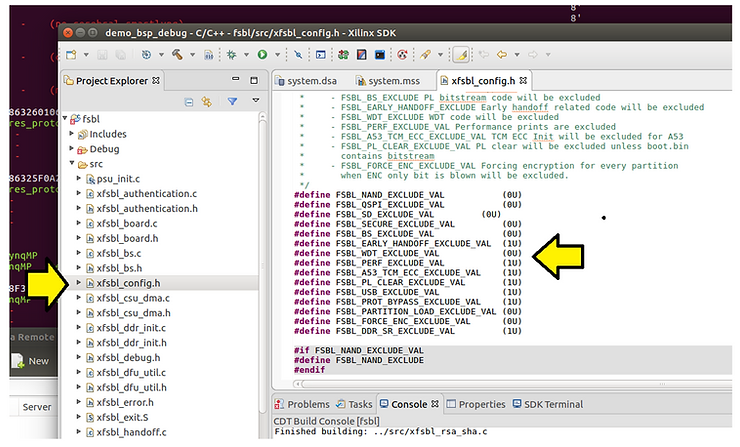
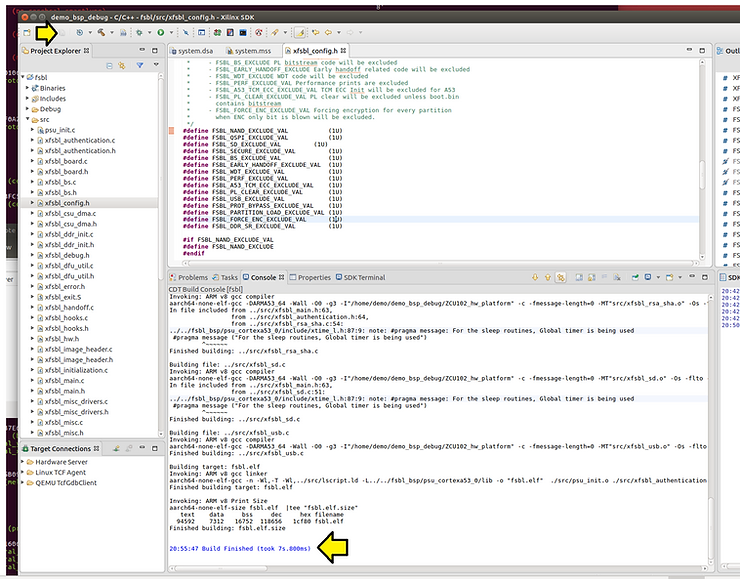
Step #5: Go into xfsbl_config.h and set all of these:
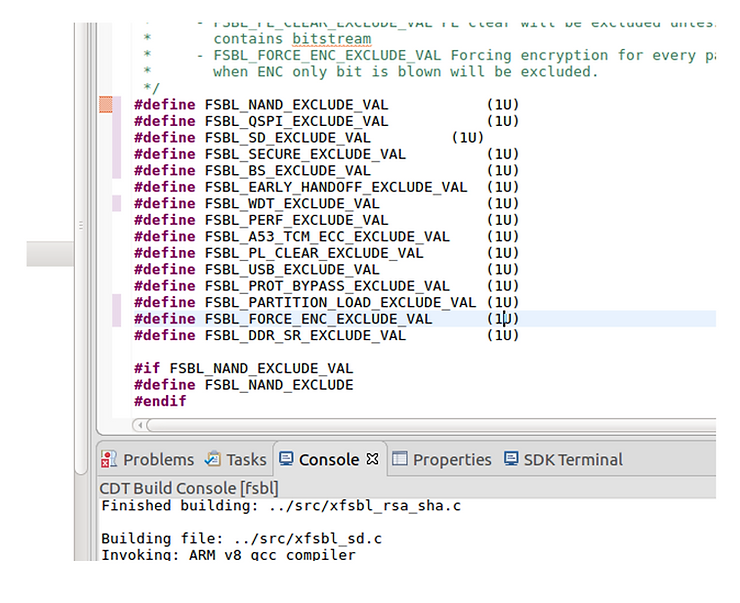
…to 1U to turn off code:
Step #6: Click Save All. The FSBL should auto recompile.
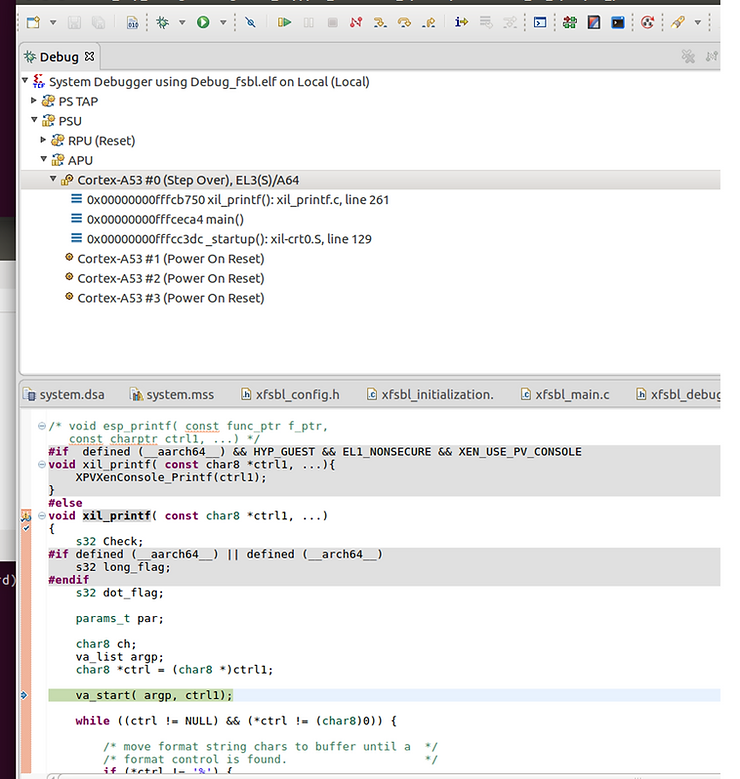
Step #7: To test put a breakpoint in xil_printf (which is in the BSP)
References
- The Xilinx graphic is from [link]
