

Fix E_FAIL Virtual Machine Launch

Short
Right-click Discard Saved State… to fix E_FAIL (0x80004005) on Version 5.2.12 r122591 (Qt5.6.2).
Step-by-Step
If you see this error:
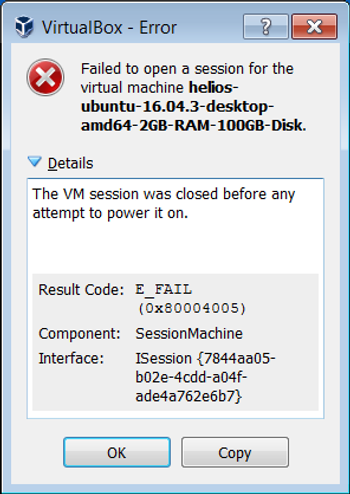
Right click on the virtual machine you tried to start:
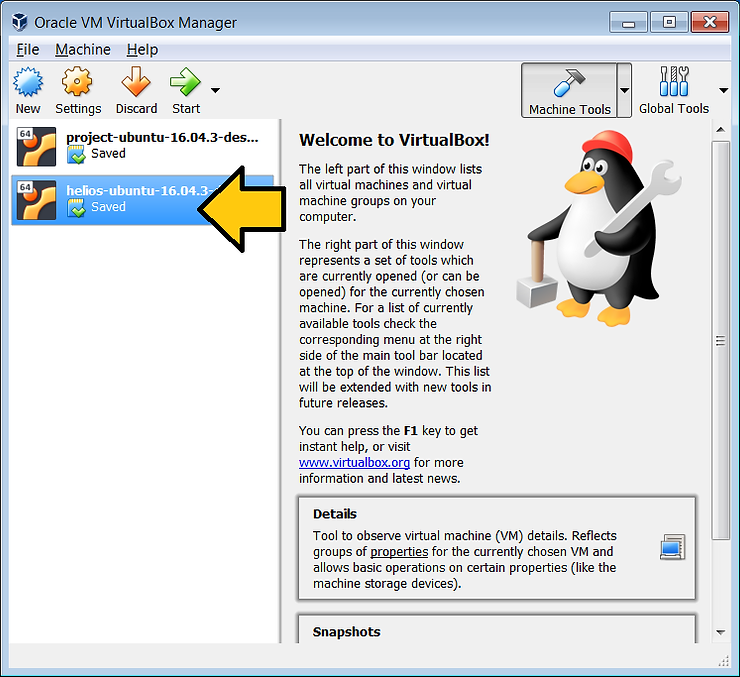
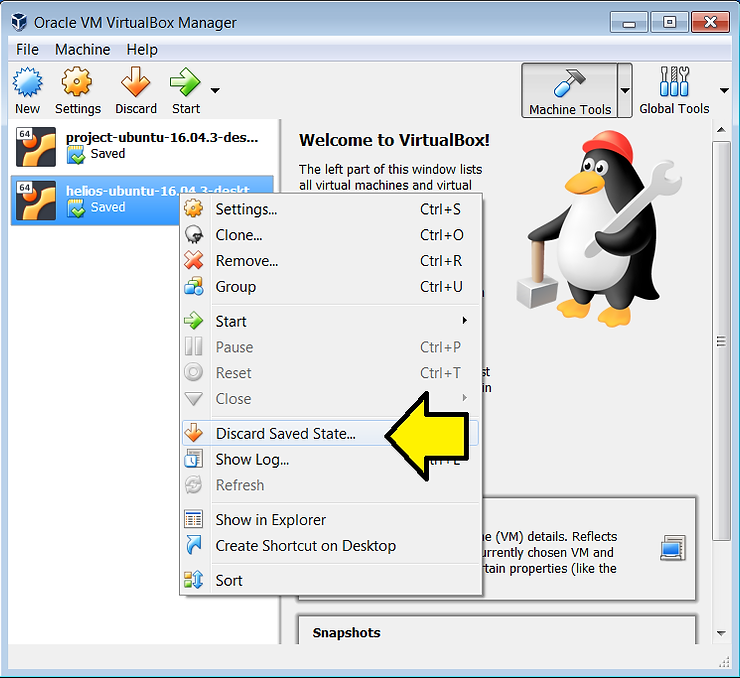
…and click Discard Saved State…
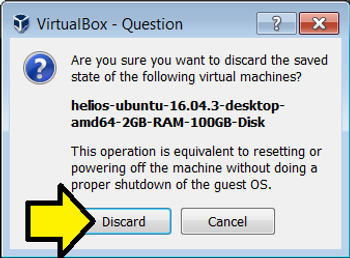
Click Discard
Then start the virtual machine.
Text of Error
VirtualBox - Error
Failed to open a session for the virtual machine machine-name.
The VM session was closed before any attempt to power it on.
Result Code:
E_FAIL (0x80004005)
Component:
SessionMachine
Interface:
ISession {7844aa05-b02e-4cdd-a04f-ade4a762e6b7}
References
-
Answer to https://www.virtualbox.org/ticket/6930 by Democritus
-
VirtualBox logo from [link]