

Fix tinyprog error “serial.serialutil.SerialException: Cannot configure port”
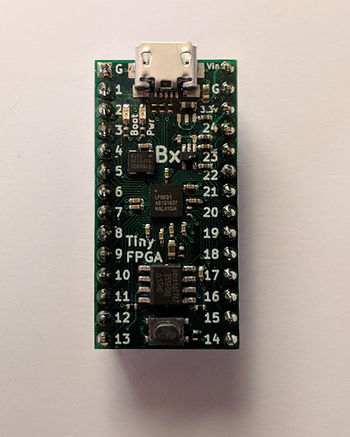
This post shows a solution to “serial.serialutil.SerialException: Cannot configure port, something went wrong.” when using tinyprog. The solution is: close other programs that are using the COM port.
Note
This problem may be seen in other Python programs.
Symptom
After typing tinyprog –program design.bin the program hangs and then after sometime you see:
C:\Users\pfefferz\Documents\tmp\prj>tinyprog --program top_level_bitmap.bin
   TinyProg CLI
   ------------
   Using device id 1d50:6130
   Only one board with active bootloader, using it.
Traceback (most recent call last):
 File "c:\users\pfefferz\appdata\local\programs\python\python36\lib\runpy.py",
line 193, in _run_module_as_main
   "__main__", mod_spec)
 File "c:\users\pfefferz\appdata\local\programs\python\python36\lib\runpy.py",
line 85, in _run_code
   exec(code, run_globals)
 File "C:\Users\pfefferz\AppData\Local\Programs\Python\Python36\Scripts\tinypro
g.exe\__main__.py", line 9, in
 File "c:\users\pfefferz\appdata\local\programs\python\python36\lib\site-packag
es\tinyprog\__main__.py", line 323, in main
   with active_port:
 File "c:\users\pfefferz\appdata\local\programs\python\python36\lib\site-packag
es\tinyprog\__init__.py", line 60, in __enter__
   self.ser = serial.Serial(self.port_name, timeout=1.0, writeTimeout=1.0).__en
ter__()
 File "c:\users\pfefferz\appdata\local\programs\python\python36\lib\site-packag
es\serial\serialwin32.py", line 31, in __init__
   super(Serial, self).__init__(*args, **kwargs)
 File "c:\users\pfefferz\appdata\local\programs\python\python36\lib\site-packag
es\serial\serialutil.py", line 240, in __init__
   self.open()
 File "c:\users\pfefferz\appdata\local\programs\python\python36\lib\site-packag
es\serial\serialwin32.py", line 78, in open
   self._reconfigure_port()
 File "c:\users\pfefferz\appdata\local\programs\python\python36\lib\site-packag
es\serial\serialwin32.py", line 222, in _reconfigure_port
   'Original message: {!r}'.format(ctypes.WinError()))
serial.serialutil.SerialException: Cannot configure port, something went wrong.
Original message: OSError(22, 'The semaphore timeout period has expired.', None,
121)
Solution
There is something running on Windows that current owns the port. In my case, I had VirtualBox open. Once I closed VirtualBox, I was able to successfully download:
C:\Users\pfefferz\Documents\tmp\prj>tinyprog --program top_level_bitmap.bin

    TinyProg CLI
    ------------
    Using device id 1d50:6130
    Only one board with active bootloader, using it.
    Programming COM2 with top_level_bitmap.bin
    Programming at addr 028000
    Waking up SPI flash
    135179 bytes to program
    Erasing: 100%|███████████████████████████| 135k/135k [00:01<00:00, 123kB/s]
    Writing: 100%|██████████████████████████| 135k/135k [00:02<00:00, 64.6kB/s]
    Reading: 100%|███████████████████████████| 135k/135k [00:00<00:00, 250kB/s]
    Success!
References
- TinyFPGA BX User Guide at [link]