

Get and Install the 64-bit Arduino 1.8.7 IDE on Ubuntu 16.04.3

This post lists verified step-by-step instructions for getting, installing and running the 64-bit Arduino 1.8.7 IDE on Ubuntu 16.04.3.
Note: I’ve uploaded the arduino-1.8.7-linux64.tar.xz to [link]. The archive is 113 MB.
Prerequisite
You’ll need around 700 MB for the archive and the extracted files.
Steps
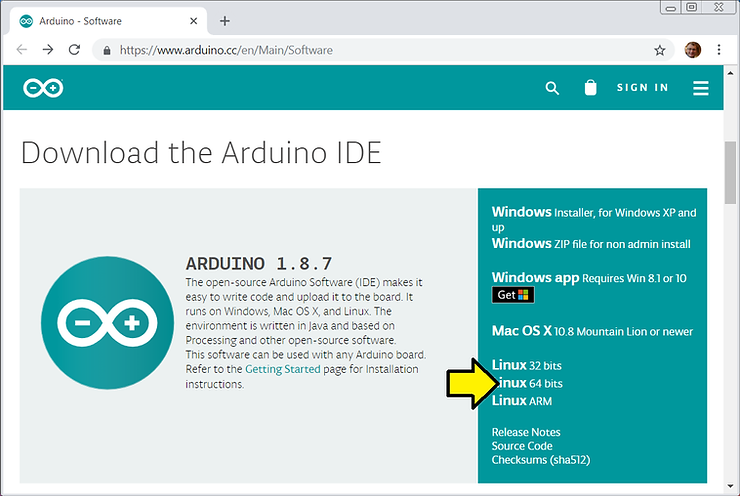
1. Go to [link] and click Linux 64 bits
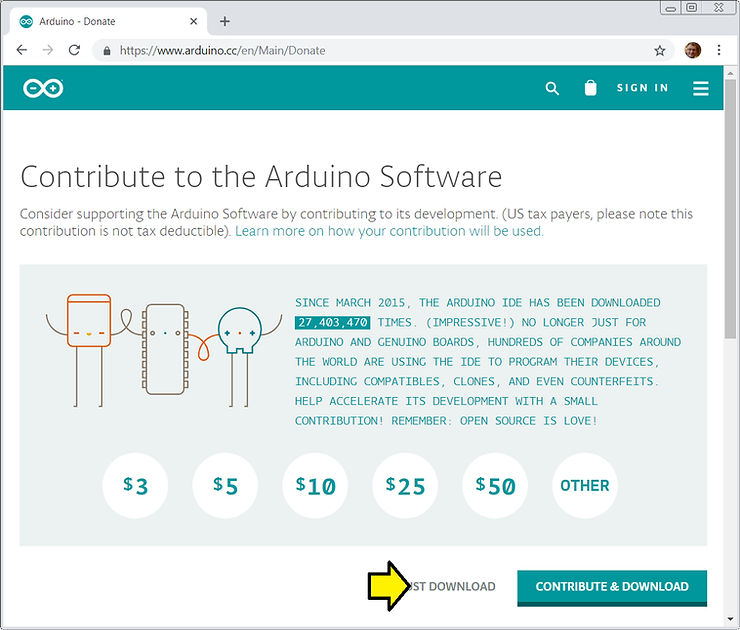
2. Click JUST DOWNLOAD
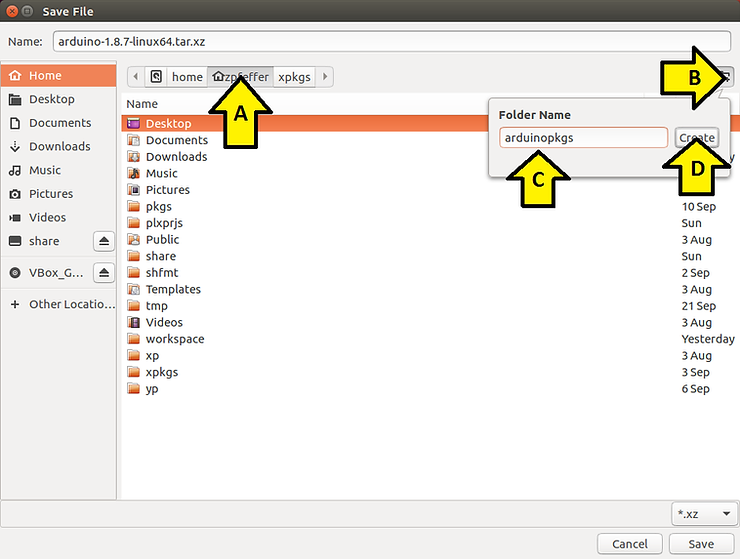
3. (A) Click on your home directory, (B) click the New Folder button, (C) name it arduinopkgs and (D) click the Create button
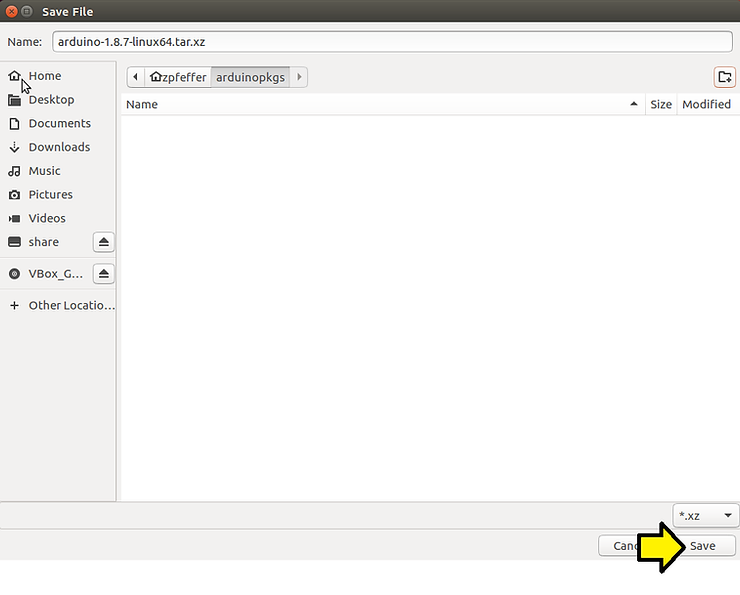
4. Click Save
5. Open a terminal
6. Type md5sum ~/arduinopkgs/arduino-1.8.7-linux64.tar.xz
You should see:
efd7e010dcd621af5b0d4b693de7c4f2 /home/zpfeffer/arduinopkgs/arduino-1.8.7-linux64.tar.xz
Which matches:
6ad71c6e6afb877ed67c164cad885192 arduino-1.8.7-linux32.tar.xz
efd7e010dcd621af5b0d4b693de7c4f2 arduino-1.8.7-linux64.tar.xz
bcc237cd2e6519456562b8becef6753d arduino-1.8.7-r1-linuxarm.tar.xz
c45a8b283a3a61ad6ea45e1d7580a6d4 arduino-1.8.7-macosx.zip
3115138b8b82537dee3656586196644e arduino-1.8.7-windows.exe
15f64c4ddc1894ead5e56c48932daa14 arduino-1.8.7-windows.zip
These lines are listed at [link].
7. Type cd ~/arduinopkgs
8. Type file arduino-1.8.7-linux64.tar.xz
You should see:
arduino-1.8.7-linux64.tar.xz: XZ compressed data
See [link] for what XZ compression means.
9. Type tar –lzma -xvf arduino-1.8.7-linux64.tar.xz to extract the archive.
Notes
This command verbosely extracts the xz compressed archive in the file arduino-1.8.7-linux64.tar.xz
| Type **tar –help | grep -C3 xz** to see: |
--lzma filter the archive through xz
| Type **tar –help | grep -C3 “\-x”** to see: |
-x, –extract, –get extract files from an archive
| Type **tar –help | grep -C3 “\-v”** to see: |
-v, –verbose verbosely list files processed
| Type **tar –help | grep -C3 “\-f”** to see: |
-f, –file=ARCHIVE use archive file or device ARCHIVE
To recreate the archive type tar –lzma -cvf test.tar.xz arduino-1.8.7. This won’t create a binary exact archive replica, but the extracted data will be exactly the same.
Type to to check that the recreated archive is the same as the original
Note: compression takes 10x longer than extraction.
Type du -hs arduino-1.8.7 to see that the directory is 511M:
511M arduino-1.8.7
10. Type cd ~/arduinopkgs/arduino-1.8.7
11. Type ./install.sh
You should see:
Adding desktop shortcut, menu item and file associations for Arduino IDE… done!
…and
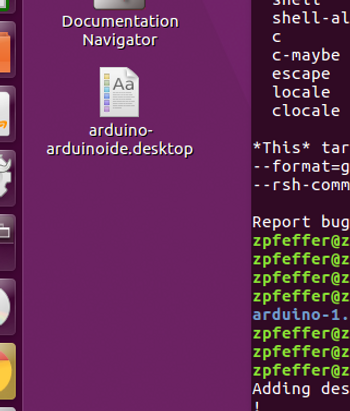
If you click on this you’ll see:
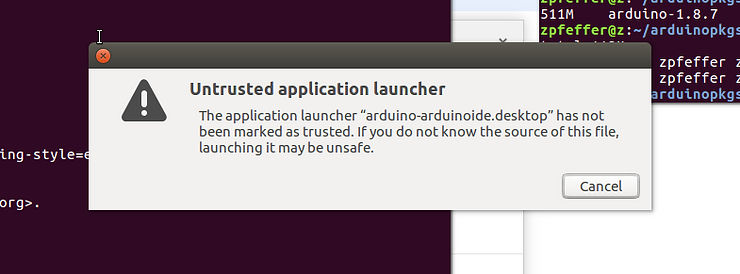
Click Cancel
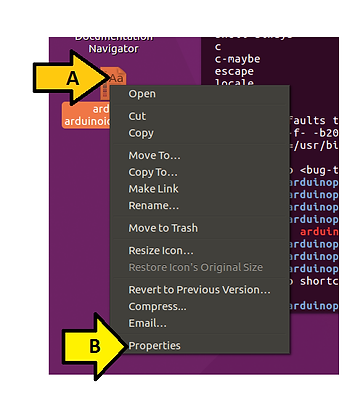
You need to (A) right click on the icon and (B) click Properties:
(A) Click the Permissions tab, (B) click Allow executing file as program until you see a check mark and (C) see the icon change.
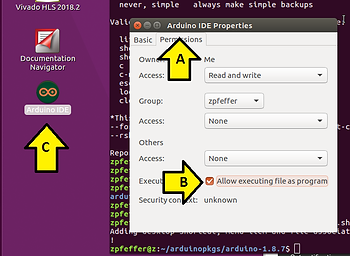
12. Double-click on the Arduino IDE icon to run it
You should see:
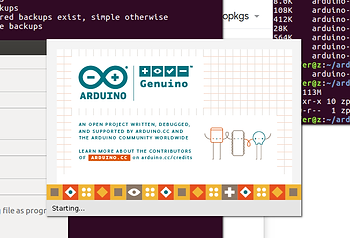
Followed by:
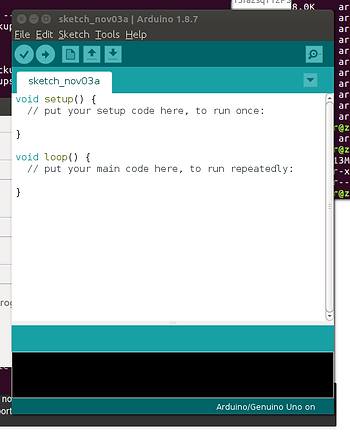
Reference
Arduino icon clipped from [link]
Quick start Arduino IDE install guide for Linux [link]