

Gmail and Calendar Quickswitch with Bookmarks
This post show you how to quickly switch between Gmail and Calendar for multiple Google accounts using bookmarks. This method is faster than logging then visiting your gmail and then selecting the account you’re interested in.
Gmail
You can easily switch between your Gmail accounts by changing this number in the URL:
https://mail.google.com/mail/u/0/#inbox
https://mail.google.com/mail/u/1/#inbox
https://mail.google.com/mail/u/2/#inbox
0 is the (default) which is the Gmail account your first logged into. 1 is the second account you logged into, and so on…
Calendar
This works for calendar as well.
For a weekly view:
https://calendar.google.com/calendar/b/0/r/week
https://calendar.google.com/calendar/b/1/r/week
https://calendar.google.com/calendar/b/2/r/week
…or month:
https://calendar.google.com/calendar/b/0/r/month
https://calendar.google.com/calendar/b/1/r/month
https://calendar.google.com/calendar/b/2/r/month
…or today:
https://calendar.google.com/calendar/b/0/r/day
https://calendar.google.com/calendar/b/1/r/day
https://calendar.google.com/calendar/b/2/r/day
Steps to Create Gmail and Calendar Bookmarks
1. Login to each account you’d like to check, noting the order
2. Create a Gmail bookmark folder
3. Visit each Gmail account and click bookmark, I name mine: gm0inbox, gm1inbox, cal0day, cal1day
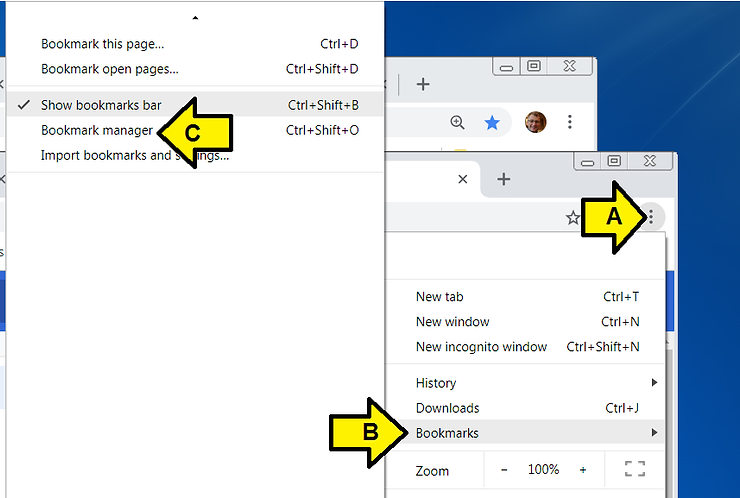
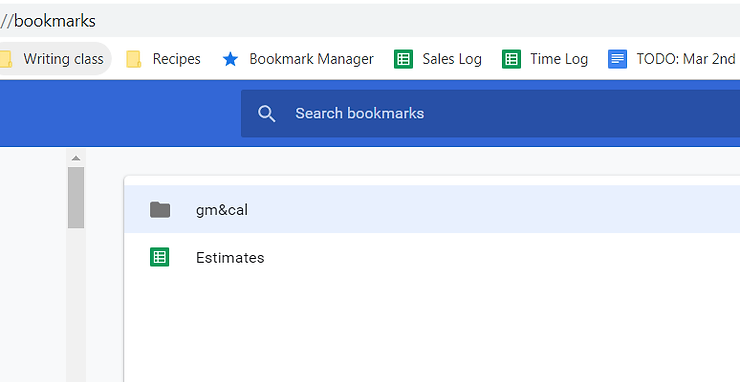
4. Open the Bookmark manager by (A) clicking the circle with 3 vertical dots, (B) clicking Bookmarks and (C) clicking Bookmark manager.
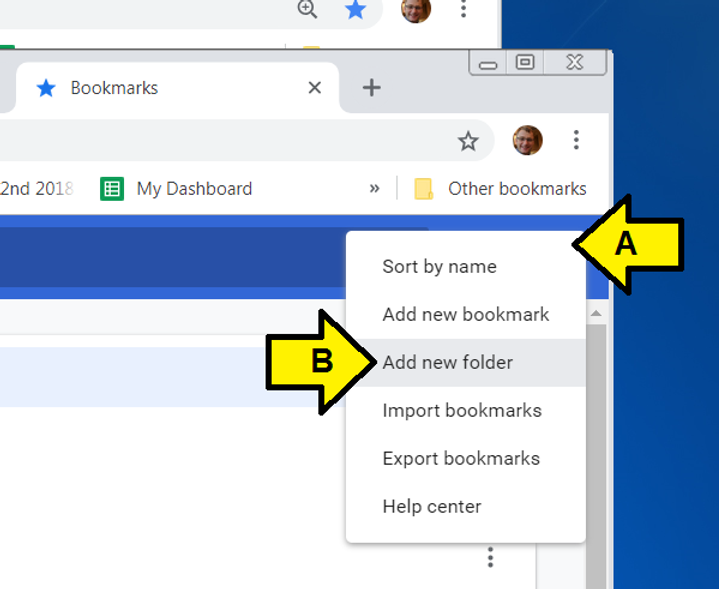
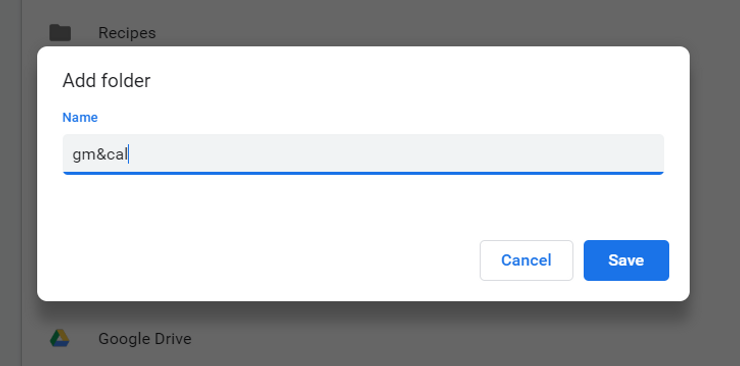
5. Create a folder named gm&cal
6. Move the gm0inbox, gm1inbox, cal0day, cal1day bookmarks into the folder named gm&cal
7. Drag the gm&cal folder to the top of the list of bookmarks
8. Repeat for Calendar
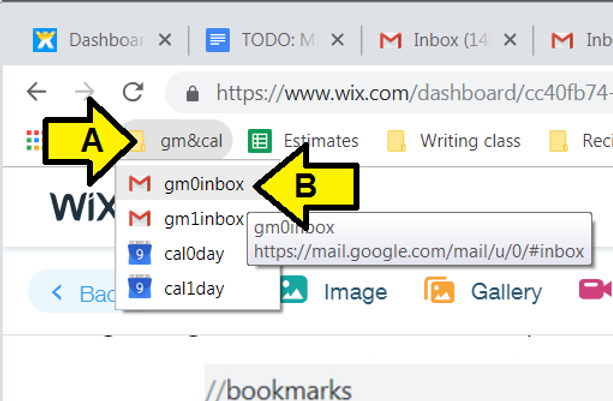
9. Quickly access different accounts by (A) clicking gm&cal and (B) any of the bookmarks:
References