

How to “Purchase services” like Office 365 at office.com
This post shows how to find the “Purchase services” screen after logging into office.com
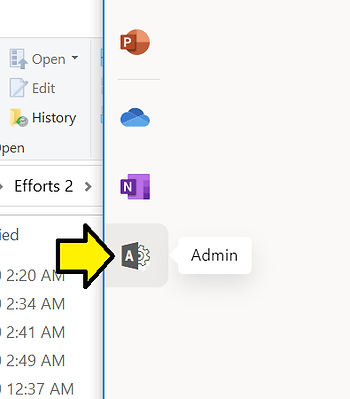
Step #2: Click Admin (this takes you to [link])
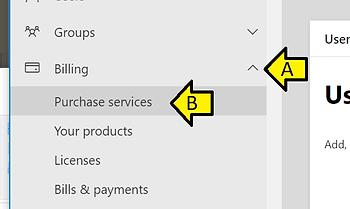
Step #3: (A) Expand Billing and (B) click Purchase services
Reference
Office 365 logo from [link]