

How to Sort Data with Headers in Google Sheets

This post describes how to sort data with headers in Google Sheets as of Oct 3rd 2018.
Steps
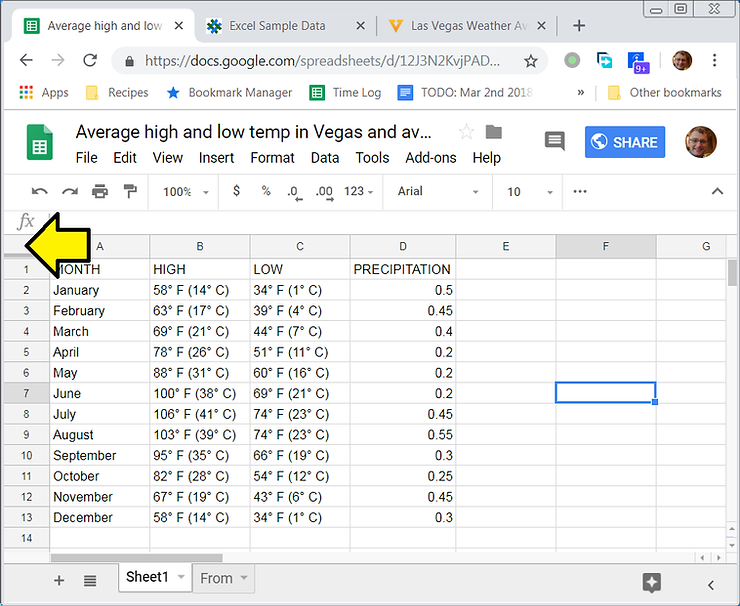
1. Select the entire sheet by clicking on the box in the upper left corner
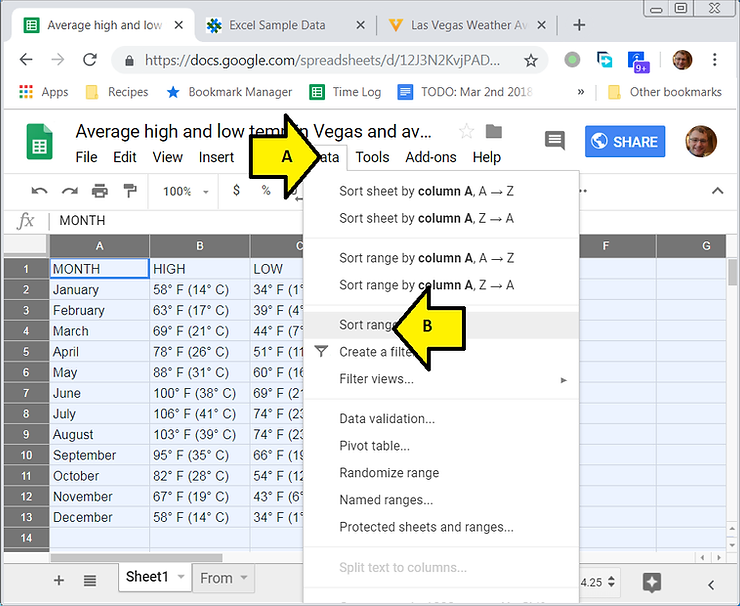
2. (A) Click Data then (B) click Sort range…
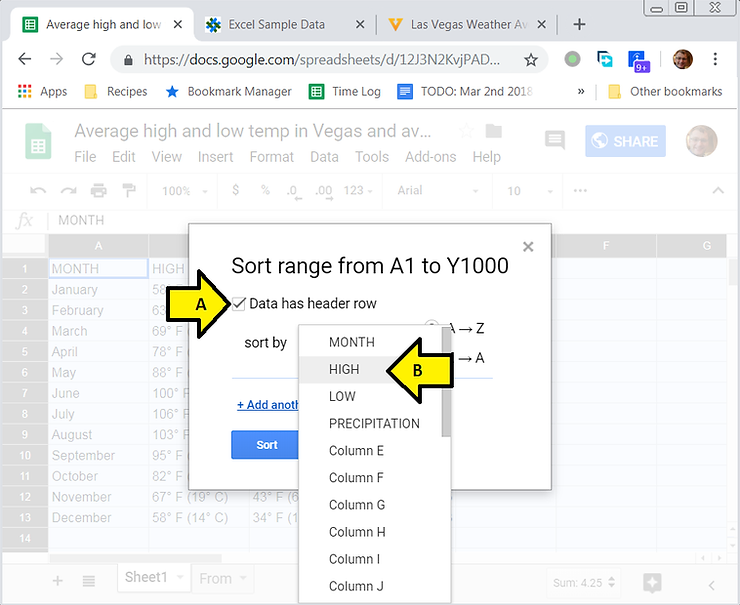
3. (A) Click Data has header row then (B) click HIGH
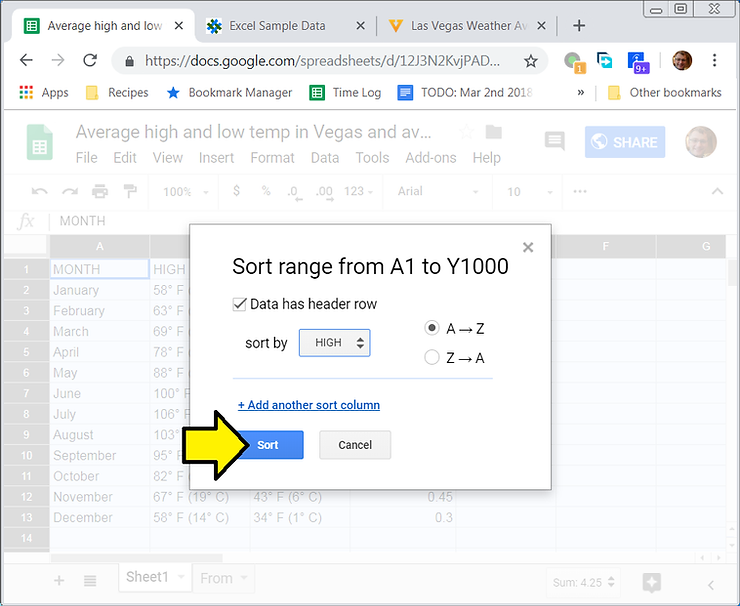
4. Click Sort
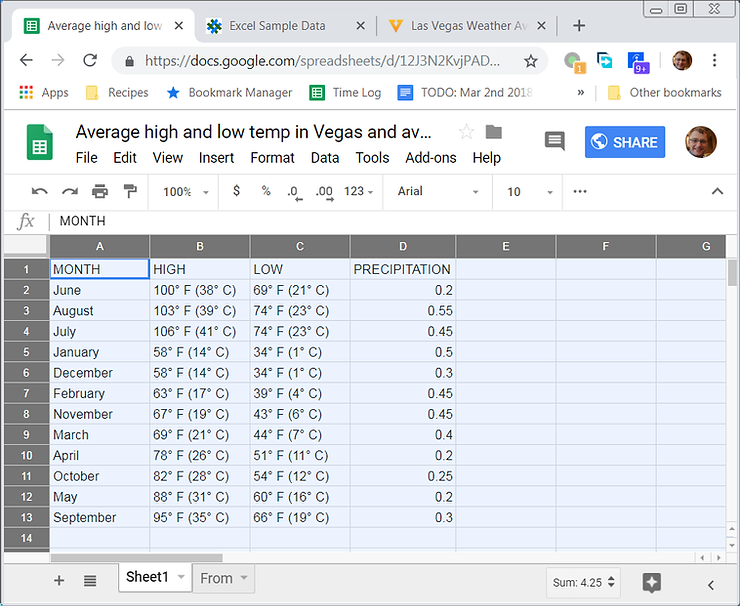
You’ll now see the HIGH column “alpha” sorted:
References