Make Alt + Space work!
This post shows how to “make Alt + Space work!” For this post, “work” means “display the window menu” after installing PowerToys. I needed this to move windows with the keyboard after I had installed PowerToys.
Make Alt + Space work!: The Problem
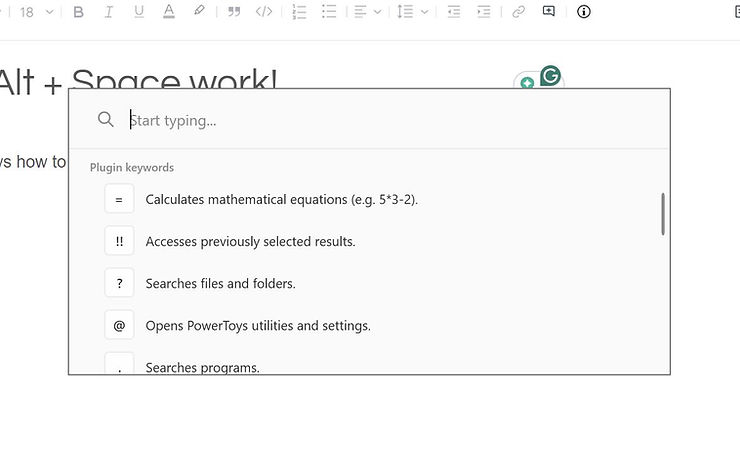
If you see this pop-up when you type Alt + Space:
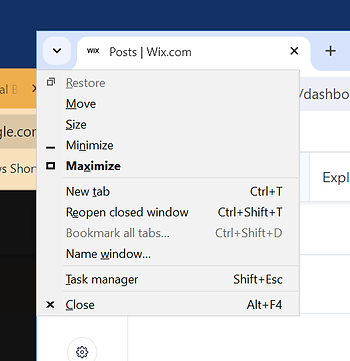
…instead of the window menu (aka system menu)…
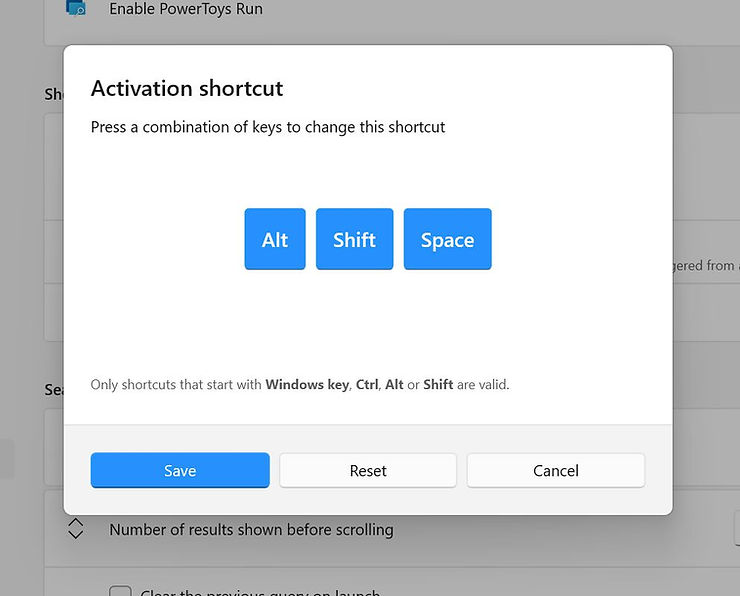
…the problem is an Alt+Space keystroke collision with PowerToys Run and window menu display. To fix the collision, Disable PowerToys Run or change the PowerToys Run binding from Alt + Space to something else (Alt + Shift + Space).
More info about the window menu can be found at [ link ] [ pdf ] [ cached ]
Steps to Update PowerToys Run Shortcut, aka Binding
#1 Click PowerToys Run
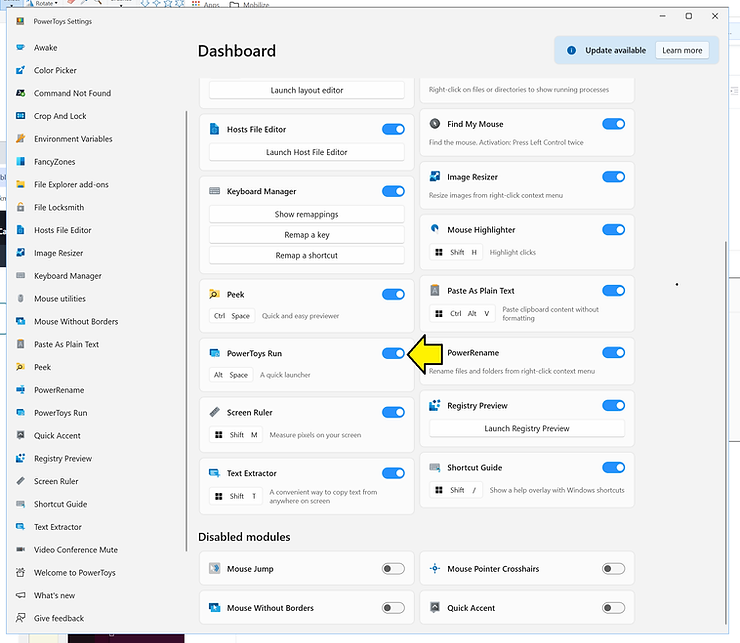
#2 Change the shortcut from Alt+Space…
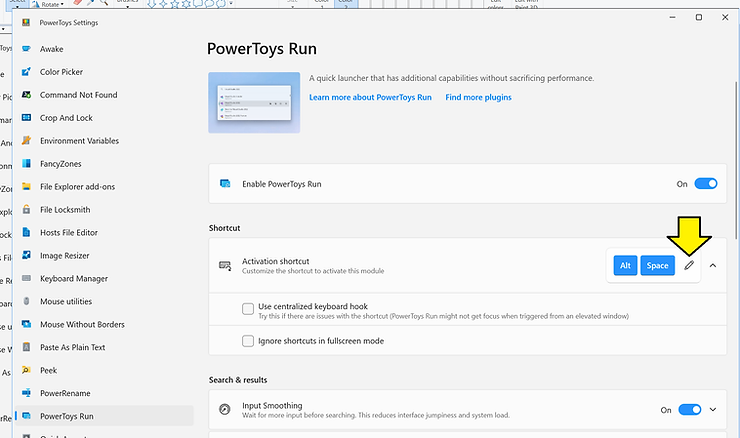
…to something else (like Alt + Shift + Space):