Reboot Windows 7 Remotely over RDP

This post shows how to restart Windows 7 over RDP.
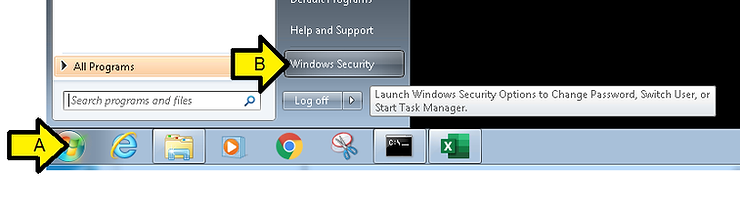
A. Click Windows
B. Click Windows Security
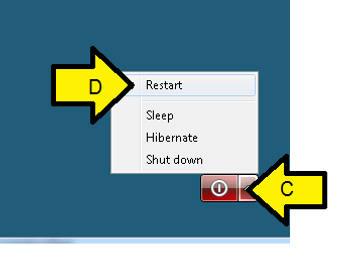
C. Expand the red Power Off button
D. Click Restart
E. Wait a few minutes
F. Log back in over RDP
References
Windows 7 logo form [link]