

Remove the Extra Line when Pasting into Word from Linux
This post shows how to remove the extra line from text that has been pasted into Word from Linux. The method here also answers the question: “how do I just replace text in what I’ve selected.”
1. Select the text
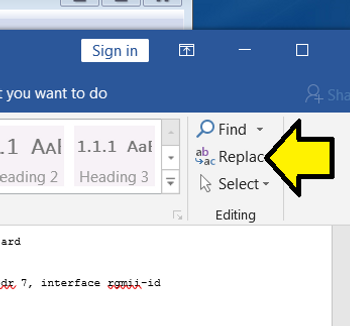
2. Click Replace in Word
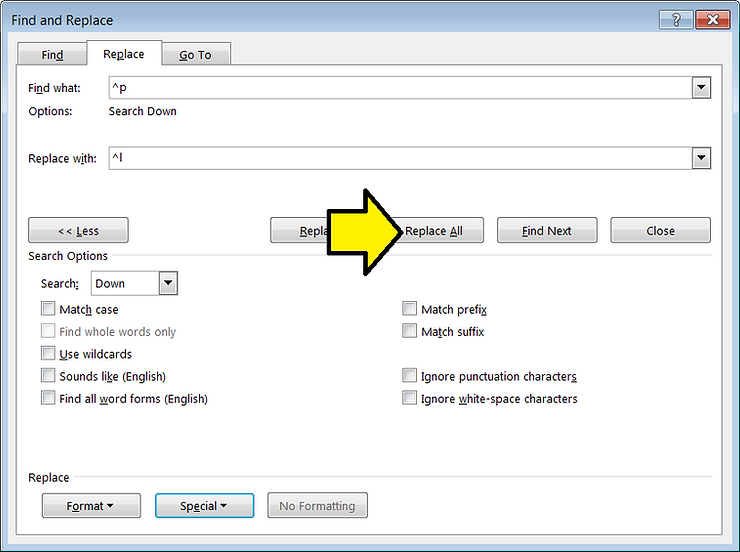
3. Set Find what: to ^p in the Find and Replace window
This is a Paragraph Mark
4. Set Replace with: to ^l in the Find and Replace window
This is a Manual Line Break
5. Click Replace All
6. Decline replacing text in the rest of the document.
Reference
Word image from [link]