

Search Google Drive on Windows 10
This post shows how to search for Google Drive items on Windows 10. You may have tried to search without success using the Windows 10 index or the very slow Explorer interface.
Steps
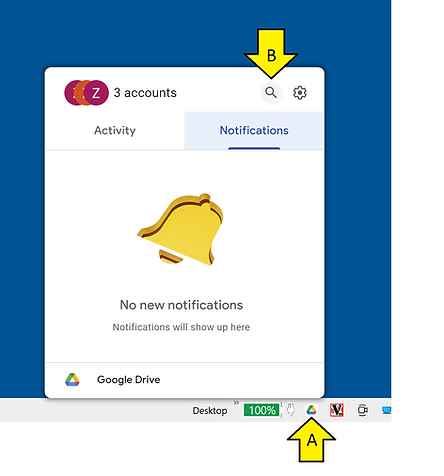
A) Click the Google Drive icon
B) Click Search or Type Ctrl + Alt + G
C) Click
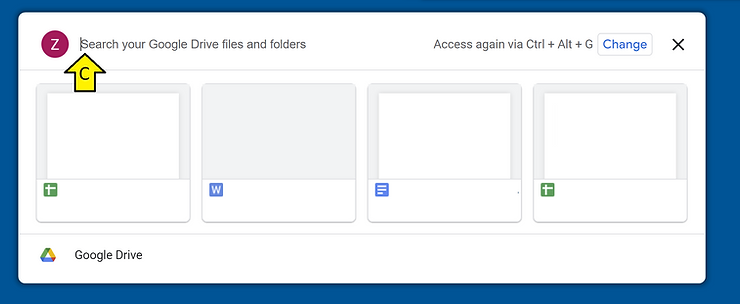
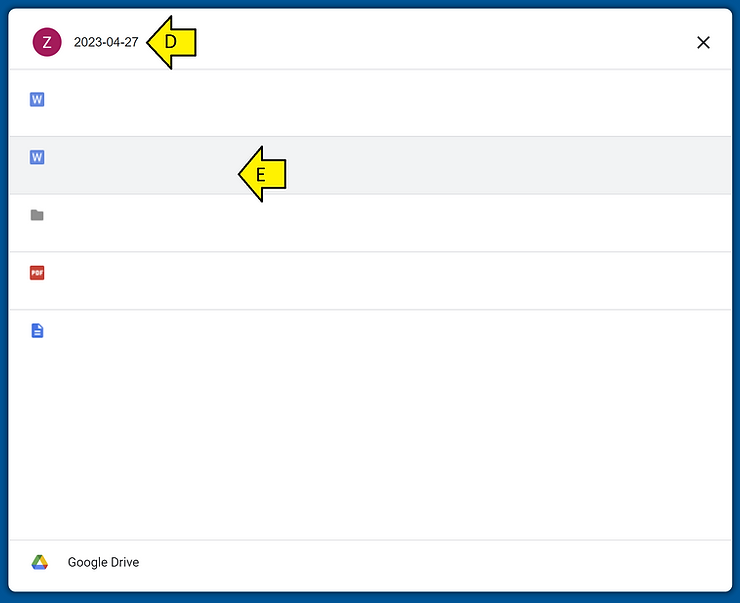
D) Search for your term
E) Select
Date and Configuration
This post was written on Apr 27th, 2023.
Version of Windows
| PS C:\Users\Zach Pfeffer> systeminfo | findstr /B /C:”OS Name” /B /C:”OS Version” |
OS Name: Microsoft Windows 10 Pro
OS Version: 10.0.19045 N/A Build 19045
The version of the Google Drive Plugin
| PS C:\Users\Zach Pfeffer> Get-ItemProperty HKLM:\Software\Wow6432Node\Microsoft\Windows\CurrentVersion\Uninstall\* | Select-Object DisplayName, DisplayVersion, Publisher, InstallDate |
| >> Format-Table -AutoSize | FindStr “Google” |
Google Chrome 112.0.5615.138 Google LLC 2…
HP Google Drive Plugin 40.13.54.81239 HP 2…
References
https://devblogs.microsoft.com/scripting/use-powershell-to-find-installed-software/
Drive Logo form https://www.google.com/drive/