

Set up the JTAG and Serial Port on the ZC702

This post shows you how to connect the JTAG and serial port of the ZC702, where to get the USB-to-serial port driver and how to configure the SDK to see the serial port output.
Versions Used
-
SDK 2018.2
-
ZC702 Rev 1.1
-
Windows 7 SP1
Set up the ZC702
Step 1: Set SW16 to JTAG mode [mode documentation see p.16]
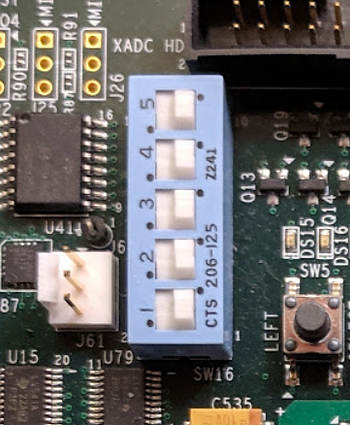
For the rest of the jumpers see the high-resolution photo of the board in the correct state at [link].
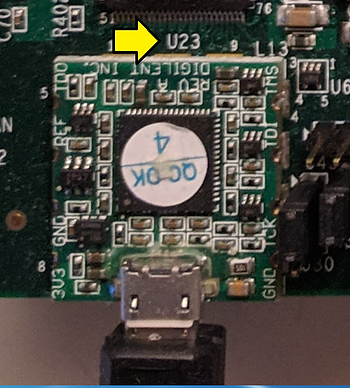
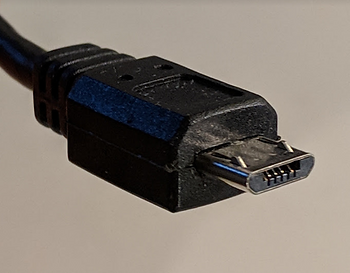
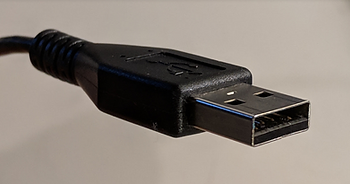
Step 2: Connect a Micro-B to Type-A (host connection) USB cable from U23 (Diglent USB JTAG interface) to the host PC
U23:
Micro-B connector:
Type-A connector:
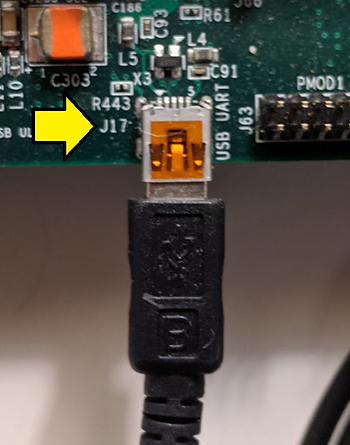
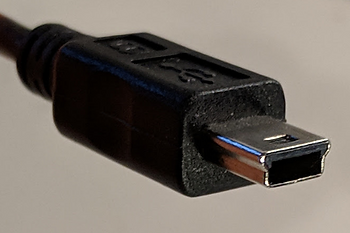
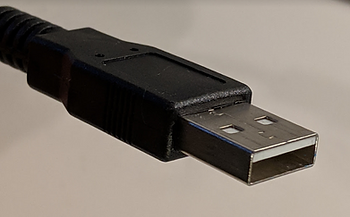
Step 3: Connect a Mini-B to Type-A (host connection) USB cable from J17 (CP2103GM USB-to_UART Bridge) to the host PC.
J17:
Mini-B connector:
Type-A connector:
Part II: Set up the Terminal
Step 1: Install the Silicon Labs CP210x USB to UART Bridge VCP Drivers
A. Goto [link]
B. Download and unzip the correct installer
C. Install the driver (I did not need to restart on Windows 7 SP1)
D. Click Windows
E. Click Devices and Printers
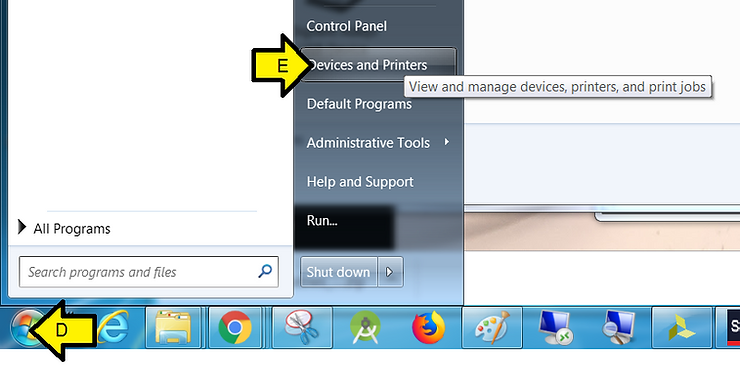
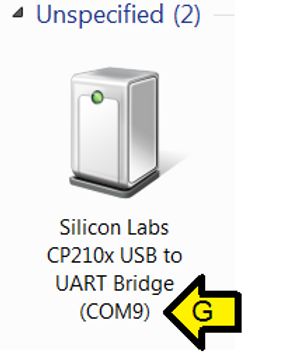
F. You should see Silicon Labs CP210x USB to UART Bridge
G. Note the COM port (you’ll need this later)
Step 2:
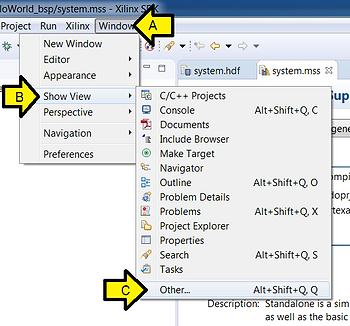
A. Click Window
B. Click Show View
C. Click Other
Step 3:
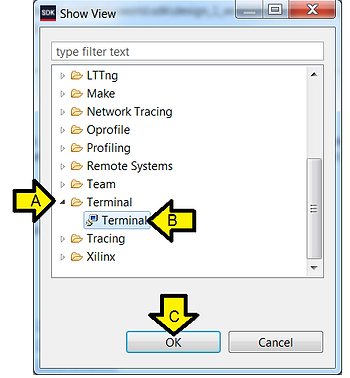
A. Expand Terminal
B. Click Terminal
C. Click OK
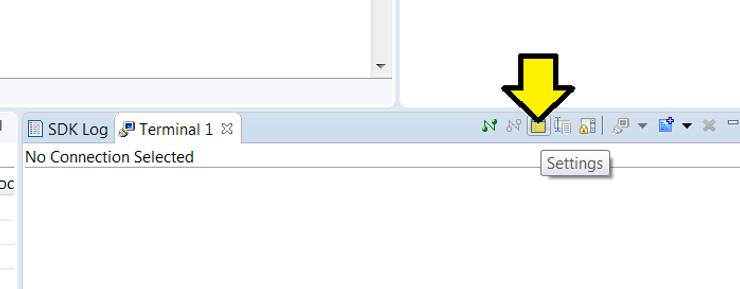
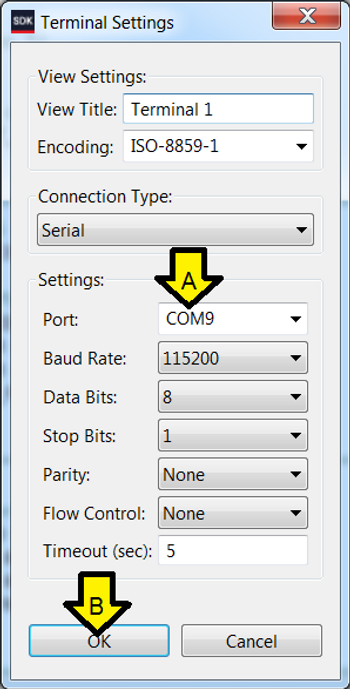
Step 4: Click Settings
Step 5:
A. Use the COM port listed in Devices and Printers
B. Click OK
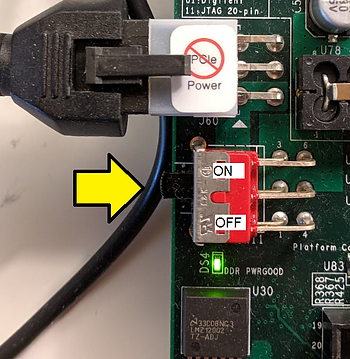
Step 6: Turn on the board
Part III: Switch Between Run and Debug View, Set Up Debug View
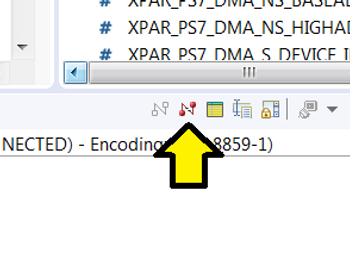
Step 1: Click to disconnect Run terminal (if you’re connected in Run mode)
Step 2: Enter Debugging in the SDK
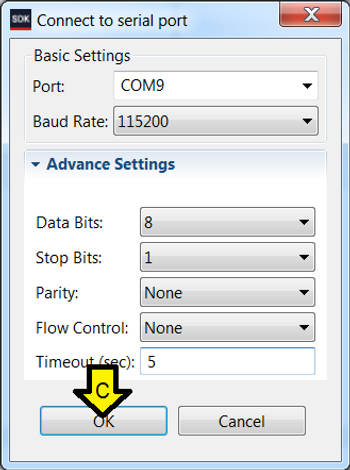
Step 3: Connect the serial port
A. Click SDK Terminal
B. Click the ’+’ (Connect to serial port.)

C. Use these settings and click OK
References
- Xilinx logo found via https://twitter.com/xilinxinc at [link]
