

Share a Directory Between VMware Workstation and Windows

This post shows you how to share a directory between VMware Workstation and Windows.
Versions Used
-
VMware Workstation 15 Player
-
Windows 10 Professional
Steps
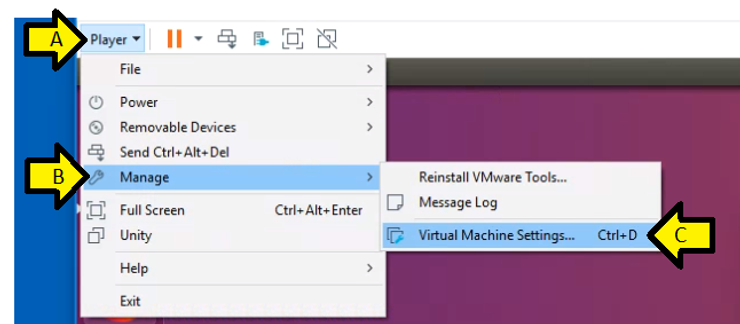
Step #1: Click Player > Manage > Virtual Machine Settings…
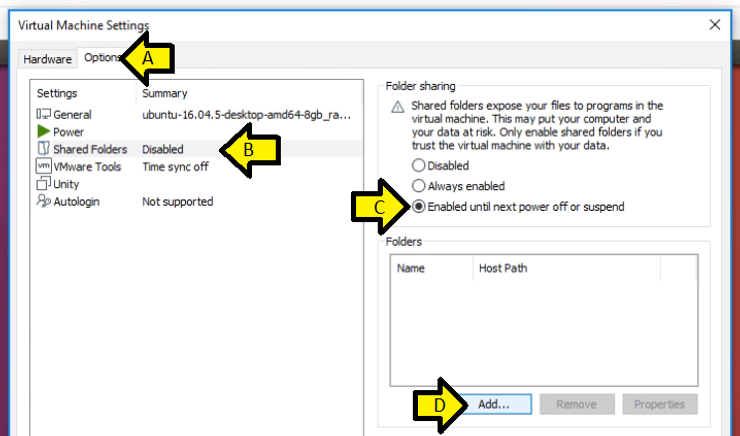
Step #2:
A) Click the Options tab
B) Click Shared Folders Disabled
C) Click the Enabled until next power off or suspend
D) Click Add…
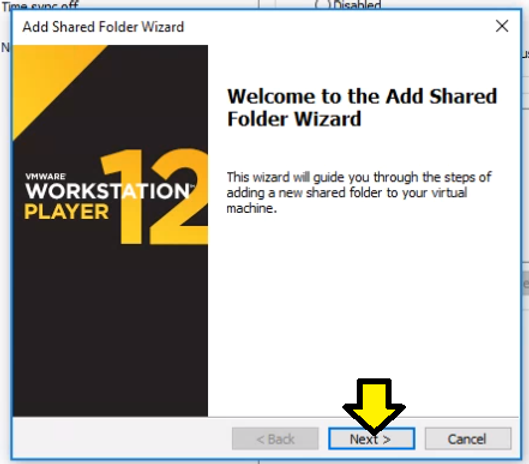
Step #3: Click Next
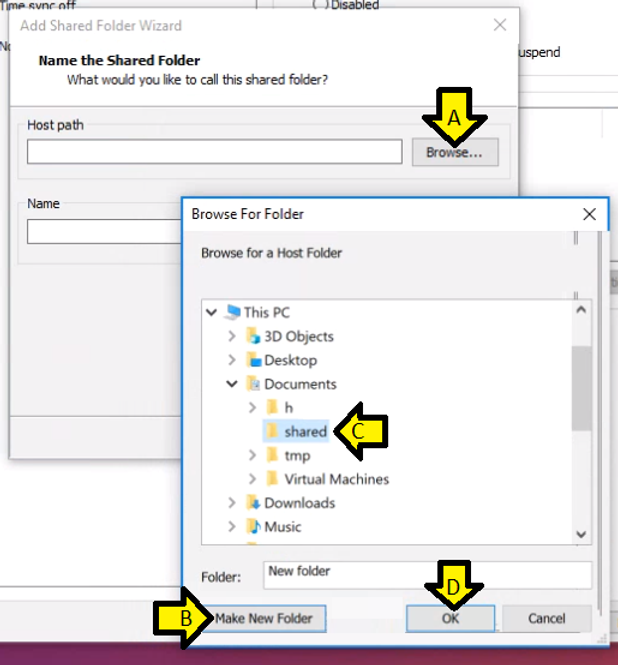
Step #4:
A) Click Browse
B) Browse to This PC > Documents, click Make New Folder and name it shared
C) Select shared
D) Click OK
Step #5: Click Next >
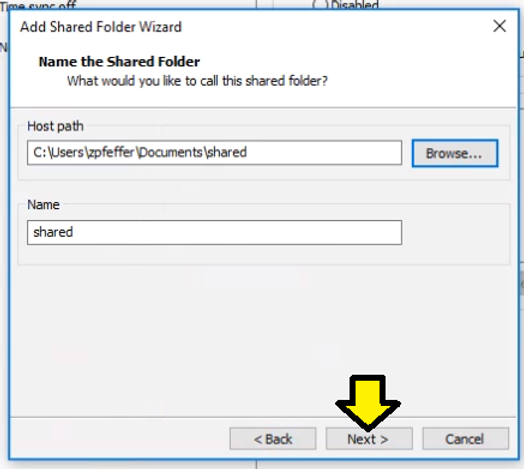
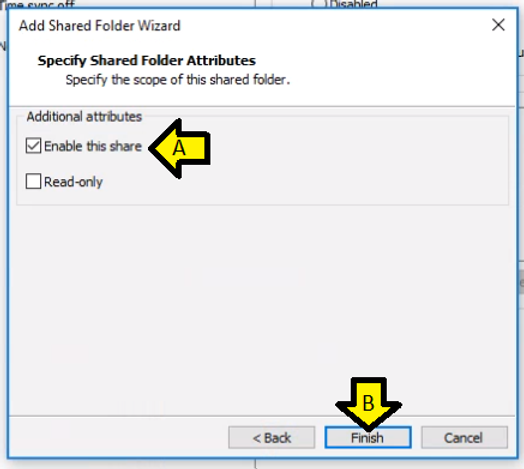
Step #6:
A) Leave Enable this share checked
B) Click Finish
Step #7: Click OK
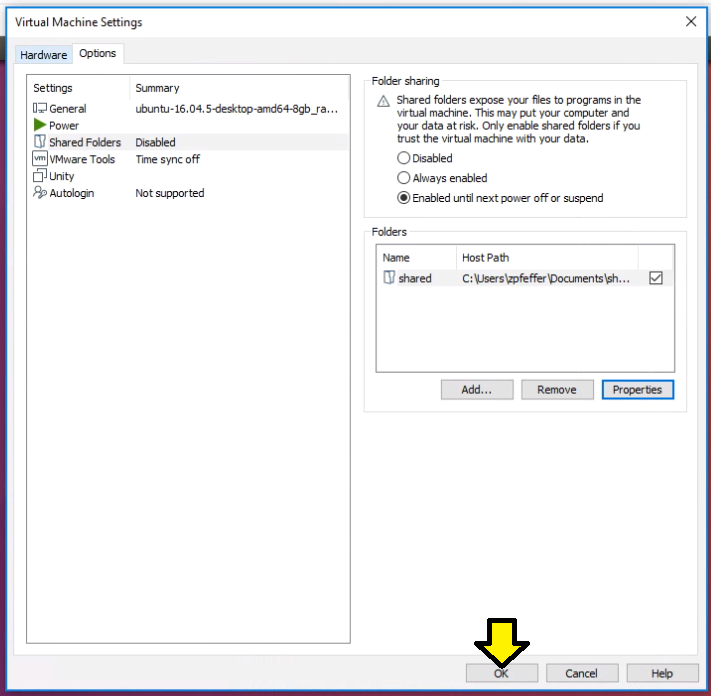
Step #9: Look for shared on Linux at /mnt/hgfs/
References
From https://docs.vmware.com: Enable a Shared Folder for a Virtual Machine @ [link]
From https://en.wikipedia.org: VMWare Workstation Player Icon @ [link]