

Show Whitespace in the 2019.1 Xilinx SDK

This post shows how to show whitespace characters in the 2019.1 Xilinx SDK.
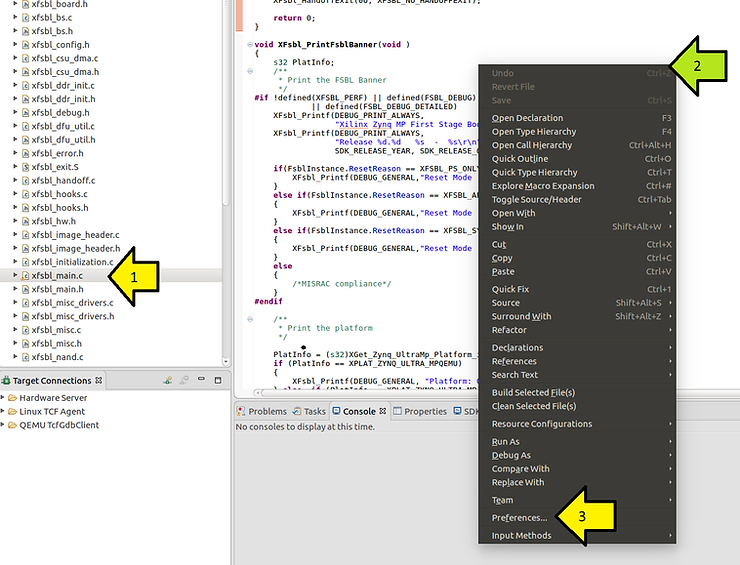
1. Click a file
2. Right-click on the file in the editor
3. Click Preferences…
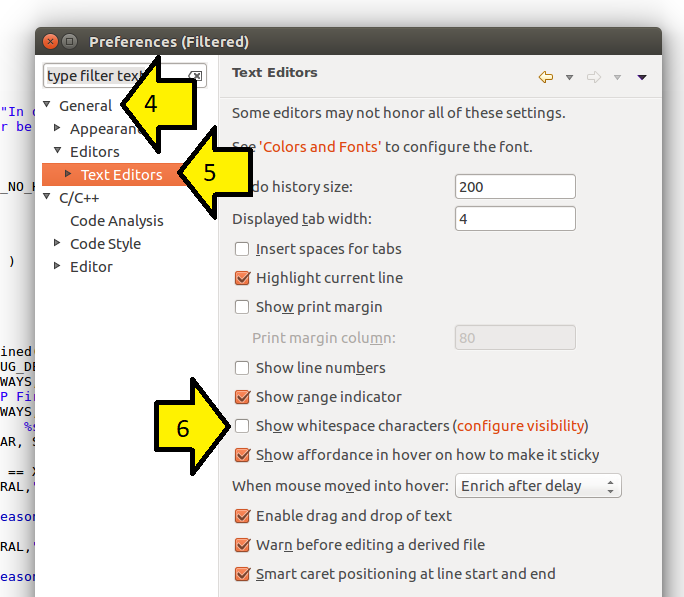
4. Expand General
5. Expand Editors and click Text Editors
6. Select the Show whitespace characters checkbox
References
- The Xilinx graphic is from [link]
