

Turn Off Gmail Predictive Writing

This post shows you how to turn off predictive writing in gmail.
Steps
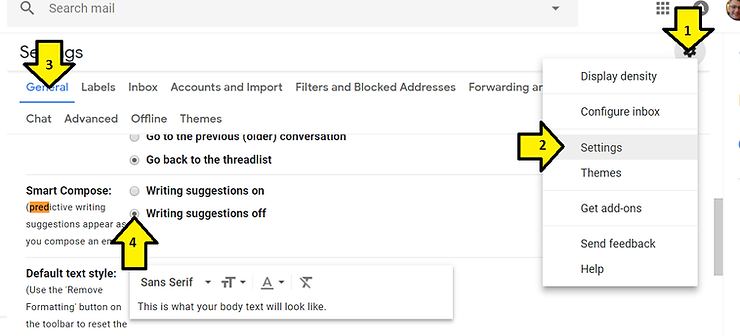
1. Click the gear
2. Click Settings
3. Click General
4. Scroll down, find Smart Compose and click Writing suggestions off
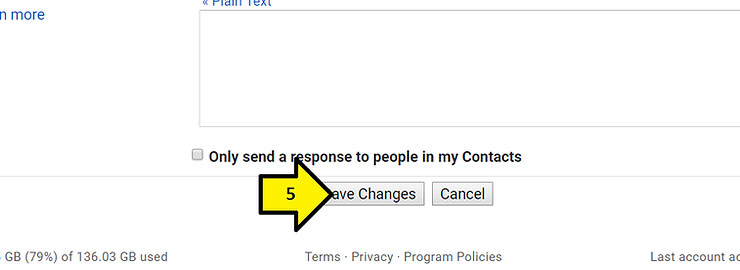
5. Scroll down and click Save Changes
Reference
Gmail image from [link]
