

Upgrade Android Studio to 3.1 or Higher and Install Android SDK for API level 28 (Android 9.0)

This post demonstrates how to upgrade Android Studio to 3.1 or Higher and install Android SDK for API level 28 (Android 9.0).
Upgrade Android
1. Start Android Studio
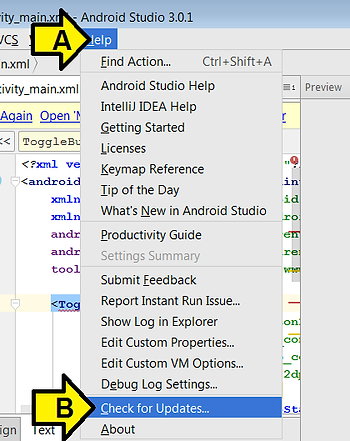
2. Click (A) Help then (B) Check for Updates
3. Click Update and Restart
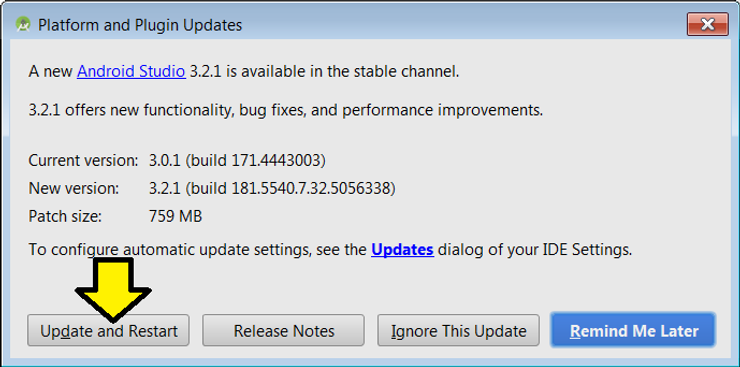
Note: the Current version and New version may be different
You should see:
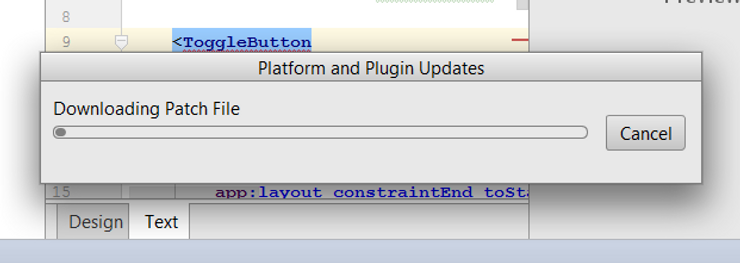
5. Click Yes after the screen dims
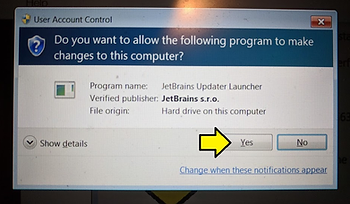
You should see:
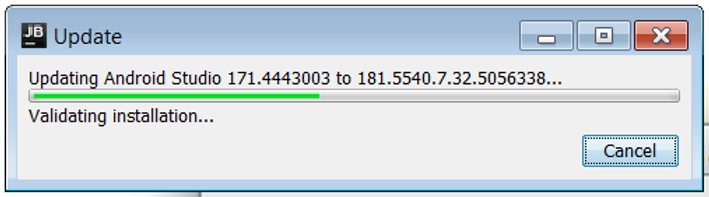
6. Click OK
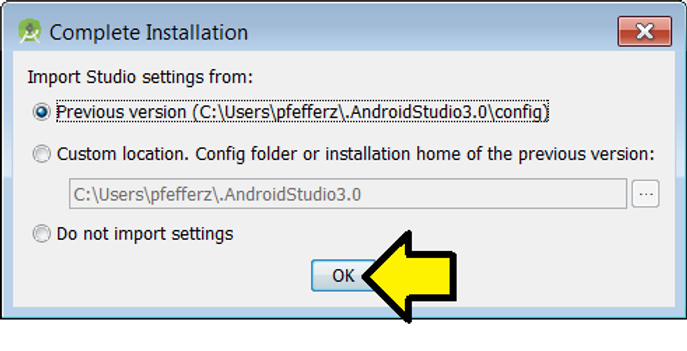
Android Studio will restart
Install Android SDK for API level 28 (Android 9.0)
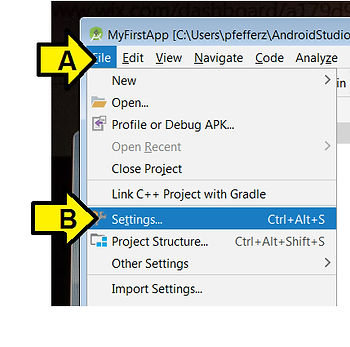
1. Click (A) File then (B) Settings…
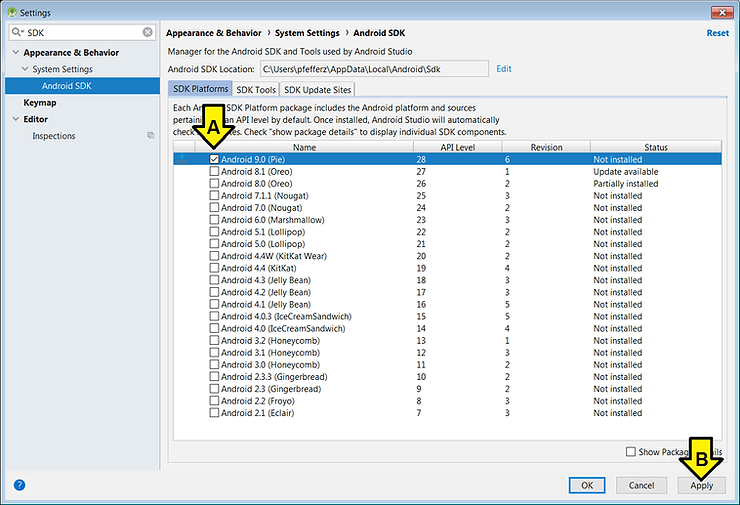
2. Type SDK into the search window
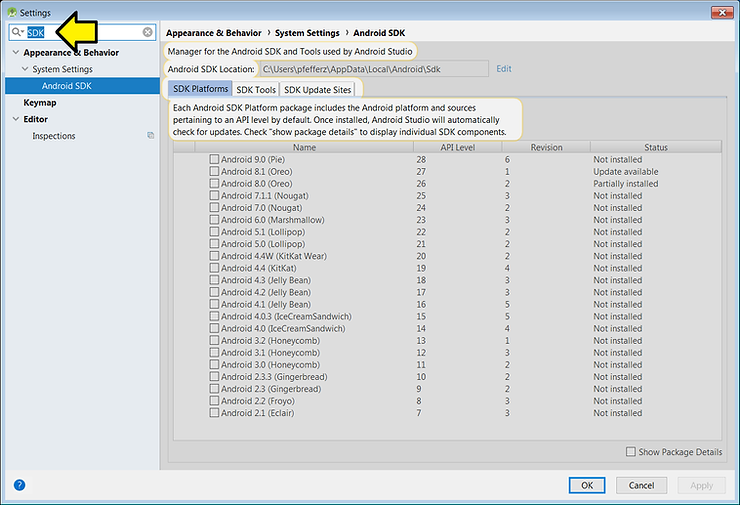
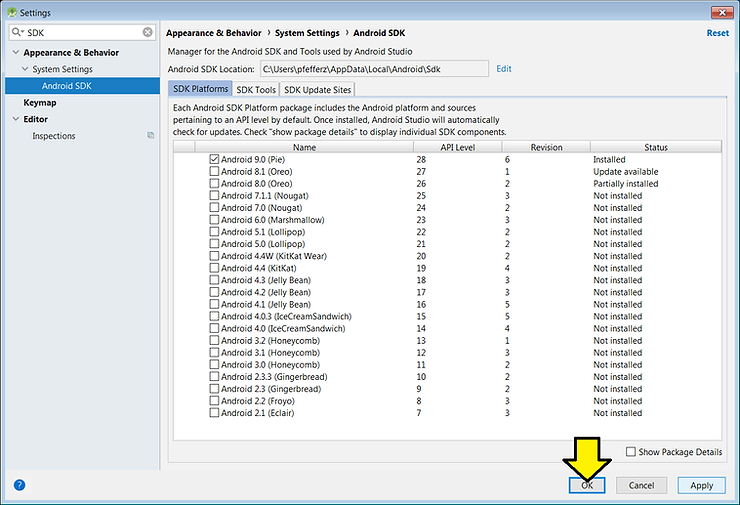
3. (A) Click the Android 9.0 (Pie) checkbox and (B) click Apply
4. Click OK
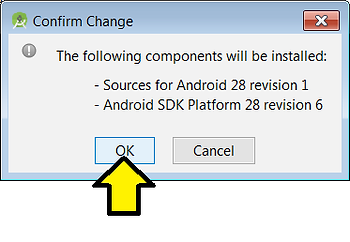
You see this window pop up
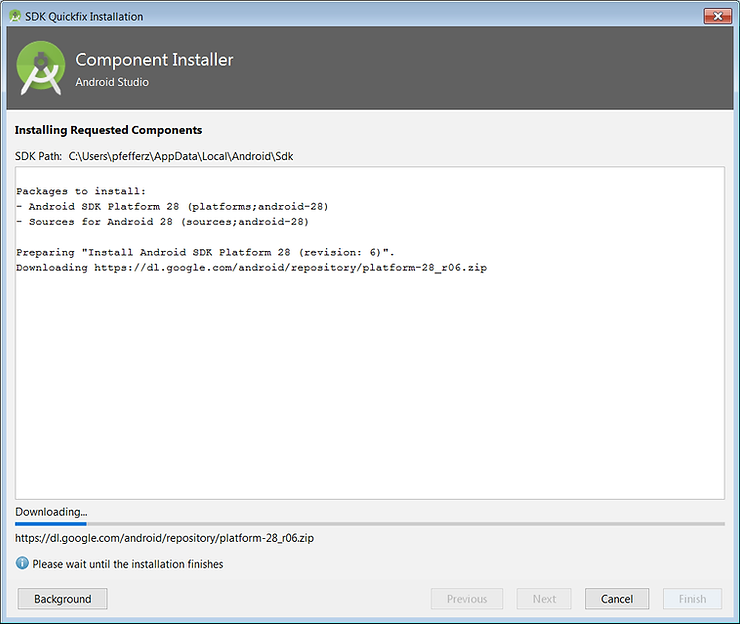
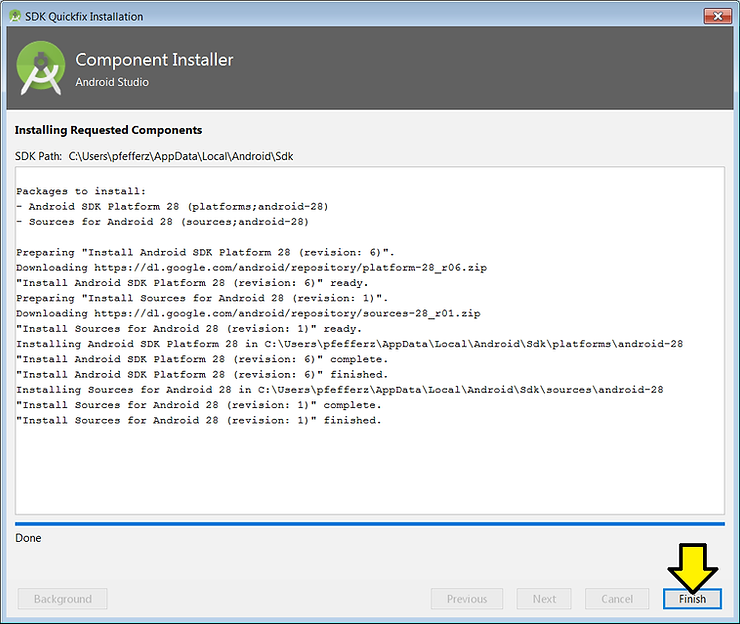
5. Click Finish
6. Click OK
References
- Android Studio icon from [link]
