
Where can I get the 2015.4 Xilinx SDK?
This post answers the question, “Where can I get the 2015.4 Xilinx SDK?” These steps were created and verified on July 8th, 2024.
Click here to go directly to the links. Note that you’ll need to use the workaround below.
Where can I get the 2015.4 Xilinx SDK?
Steps
1. Go to amd.com and search for Xilinx Download
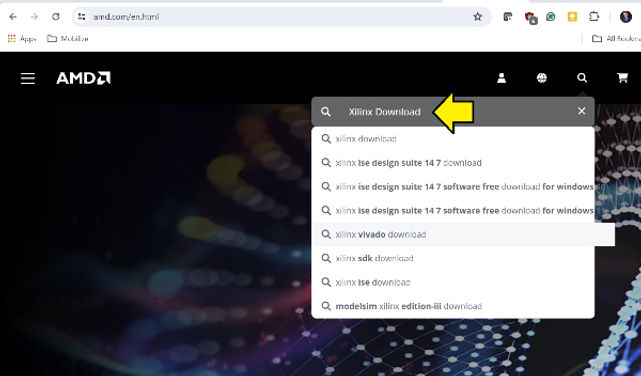
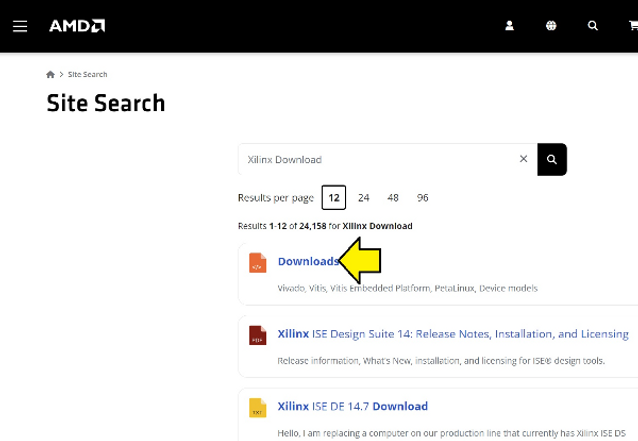
2. Select Downloads
Link pictured: https://www.amd.com/en/search/site-search.html#q=Xilinx%20Download
3. Click Vitis (SW Developer)
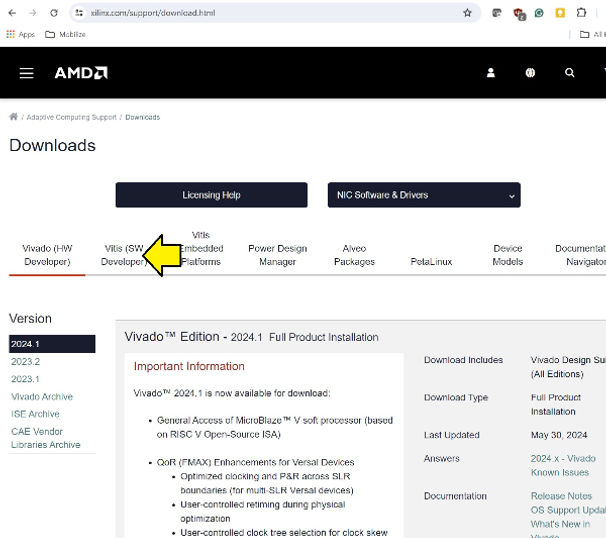
Link pictured: https://www.xilinx.com/support/download.html
4. Select Vitis (SW Developer) and SDK/PetaLinux Archive
Link pictured:
https://www.xilinx.com/support/download/index.html/content/xilinx/en/downloadNav/vitis/archive-sdk.html

5. Scroll down
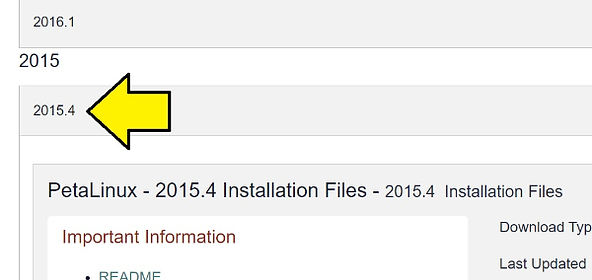
6. Scroll down again
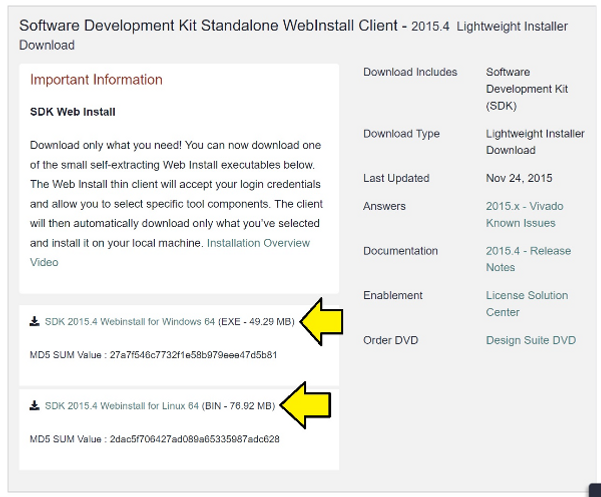
All links for SDK 2015.4
You’ll need a login. Click on the link or select https://www.amd.com/en/registration/create-account.html?custtarg=aHR0cHM6Ly9hY2NvdW50LmFtZC5jb20vZW4vZm9ybXMvZG93bmxvYWRzL3hlZi5odG1sP2ZpbGVuYW1lPVhpbGlueF9TREtfMjAxNS40XzExMThfMl9XaW42NC5leGU=
Workaround Web Installer Client Obsolete
If you try to use a Web Installer older than 3 years, you’ll get an error message:
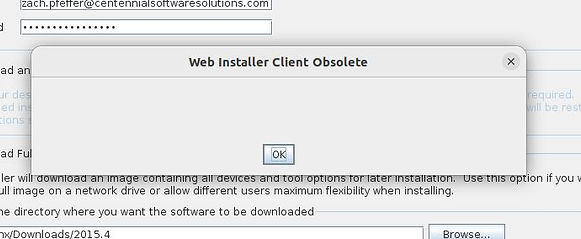
So these links won’t work. However, you will need the filename from the link.
Don’t click on the link, Copy the link address
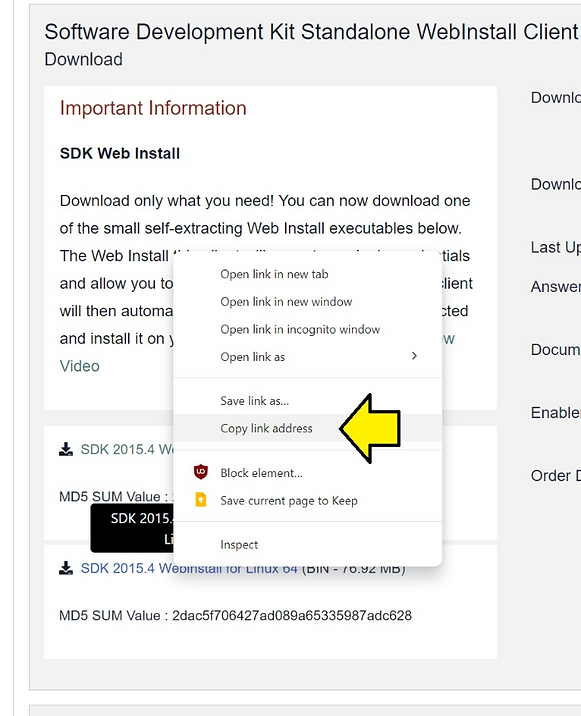
For Windows its:
https://www.xilinx.com/member/forms/download/xef.html?filename=Xilinx_SDK_2015.4_1118_2_Win64.exe
For Linux its:
https://www.xilinx.com/member/forms/download/xef.html?filename=Xilinx_SDK_2015.4_1118_2_Lin64.bin
Now take the first part of the filename Xilinx_SDK_2015.4_1118_2 and construct this link:
https://www.xilinx.com/member/forms/download/xef.html?filename=Xilinx_Vivado_SDK_2015.4_1118_2.tar.gz
This file ^^^ has both the Windows and Linux installer and is 10.4 GB.
Or use the AMD link:
https://account.amd.com/en/forms/downloads/xef.html?filename=Xilinx_SDK_2015.4_1118_2.tar.gz
Software Development Kit Standalone WebInstall Client - 2015.4 Lightweight Installer Download Text
Important Information
SDK Web Install
Download only what you need! You can now download one of the small self-extracting Web Install executables below. The Web Install thin client will accept your login credentials and allow you to select specific tool components. The client will then automatically download only what you’ve selected and install it on your local machine. Installation Overview Video
vvvv Where can I get the 2015.4 Xilinx SDK? Here! vvvv
-
SDK 2015.4 Webinstall for Windows 64 (EXE - 49.29 MB) MD5 SUM Value : 27a7f546c7732f1e58b979eee47d5b81
-
SDK 2015.4 Webinstall for Linux 64 (BIN - 76.92 MB) MD5 SUM Value : 2dac5f706427ad089a65335987adc628
Download Includes
- Software Development Kit (SDK)
Download Type
- Lightweight Installer Download
Last Updated
- Nov 24, 2015
Answers
- 2015.x - Vivado Known Issues < this link doesn’t work, use https://support.xilinx.com/s/article/63538?language=en_US
Documentation
Enablement
Order DVD