

Xilinx FPGA OpenCL Vector Addition WIP

Warning
This post is a work in progress.
Everything works until you see:
!!!Problem!!!
Using SDx 2018.2.
Supported Boards
This example states that it runs on Zynq UltraScale+ MPSoC on the ZCU102 board (available for $2,495.00 [here]) and the Zynq UltraScale+ MPSoC EV of the ZCU104 (available for $895.00 [here]) and ZCU106 (available for $1,995.00 [here]).
Prerequisites
-
You have a ZCU102
-
You have install SDSoC 2018.2 - see [instructions] if you need help installing SDSoC 2018.2
Steps
1. Make sure you have git
Type sudo apt-get install git
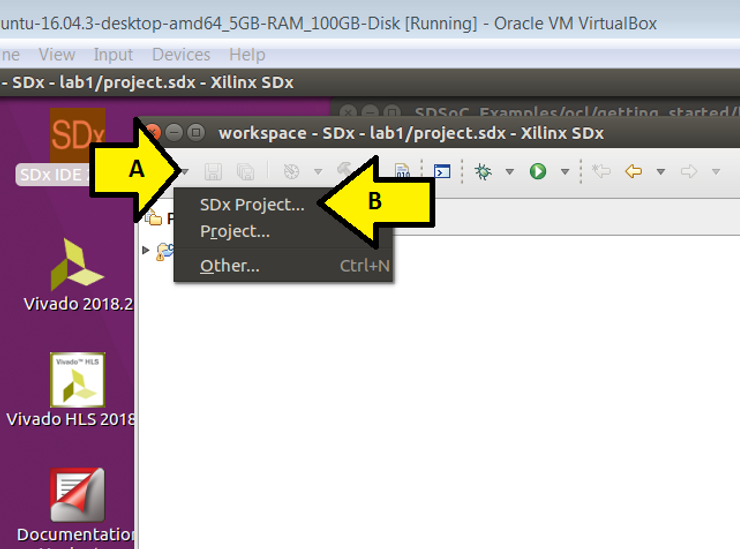
2. (A) Click the New Project drop down then (B) click SDx Project…
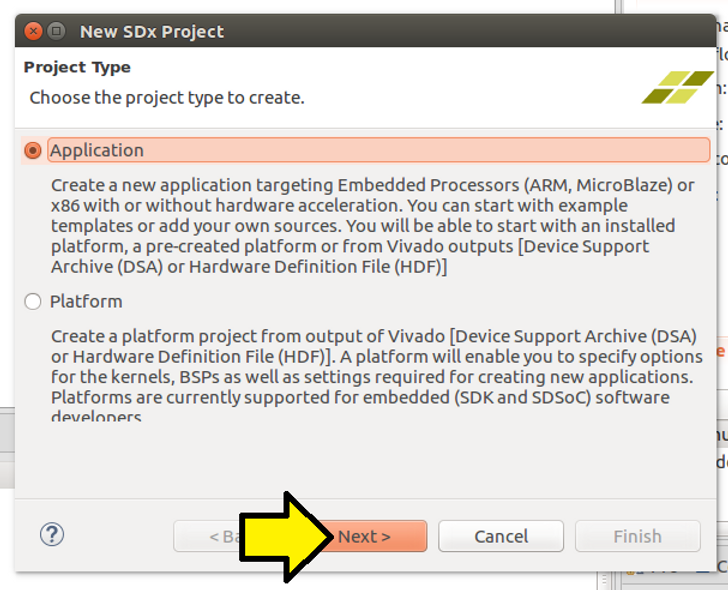
3. Leave the Application radio button selected and click Next >
4. (A) Name the project vectoradd and (B) click Next >

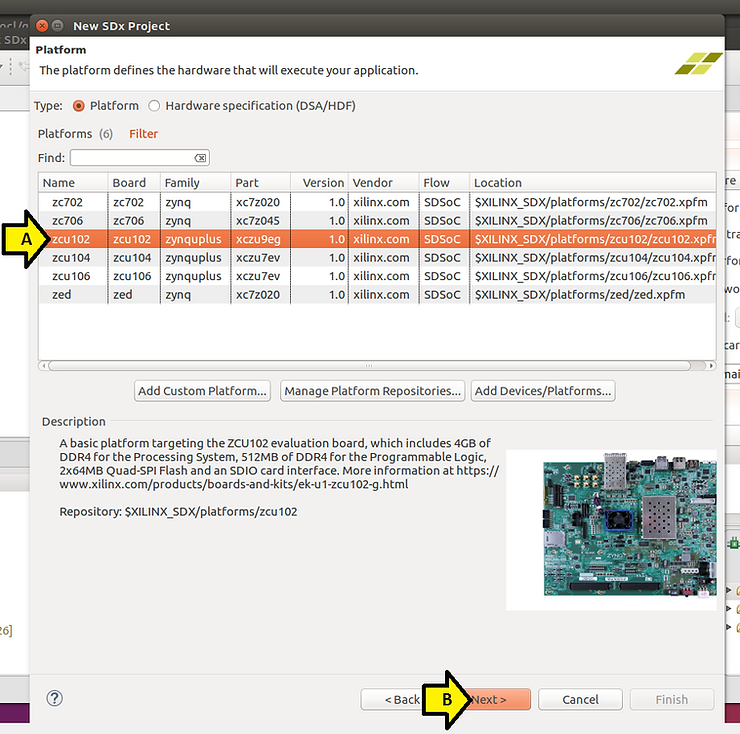
5. (A) Select the ZCU102 and (B) click Next >
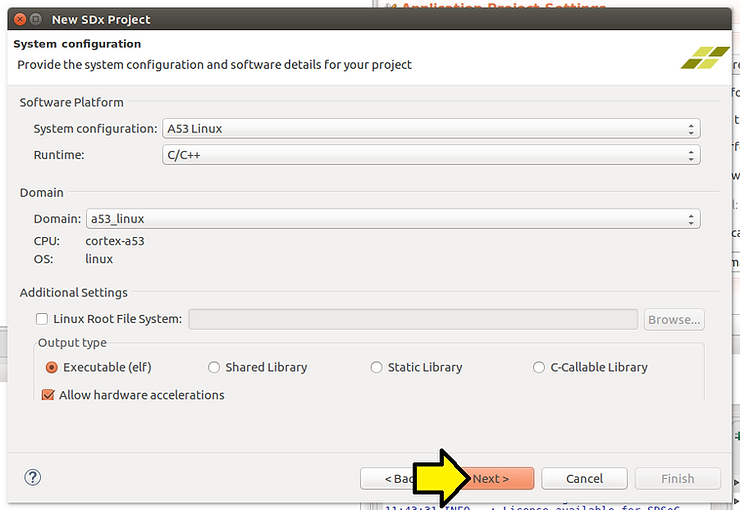
6. Accept the defaults on the System configuration page and click Next >
7. Click SDx Examples…
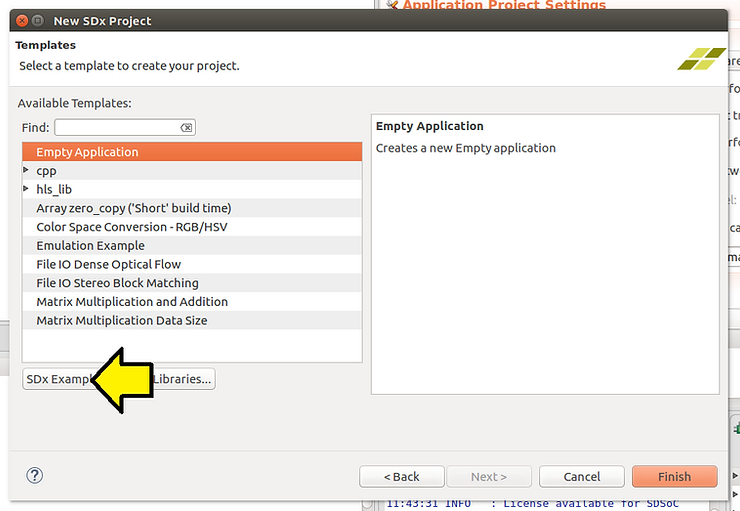
Warning!!! Before you do the next step, you must have git installed. If you do not, close SDx, install it (see above for the command, relaunch SDx and follow the instructions to here)
8. Click the Download button
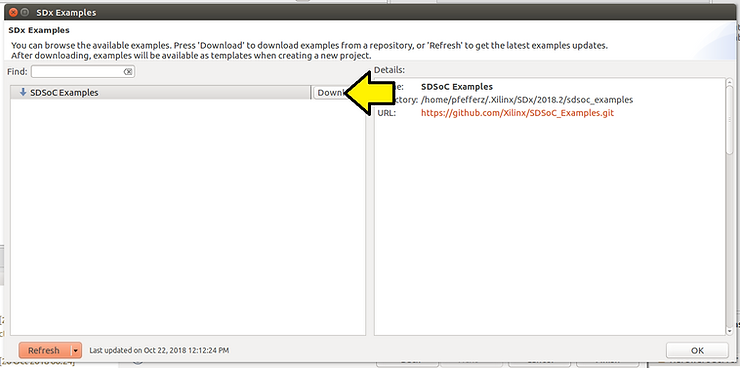
You should see:
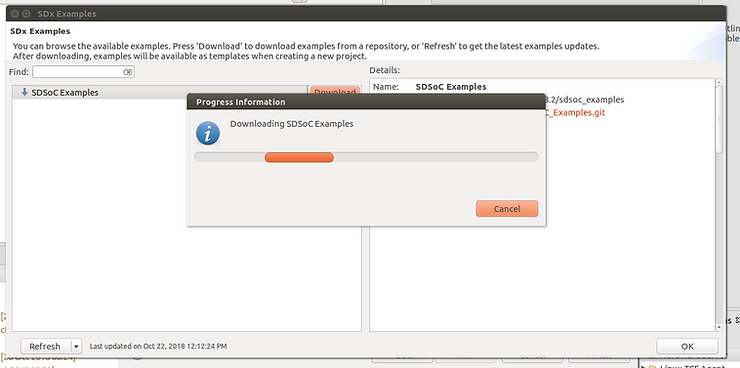
…and:
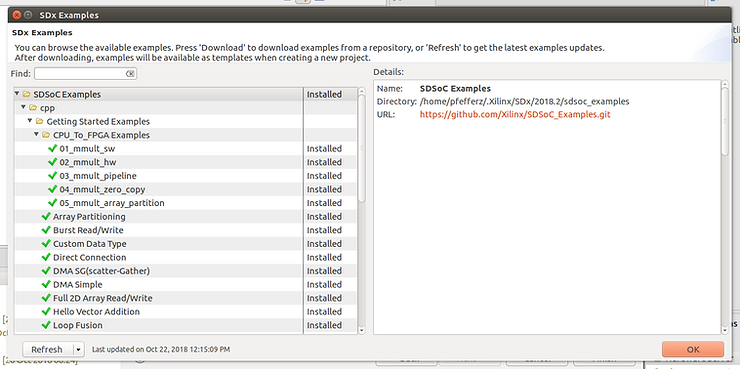
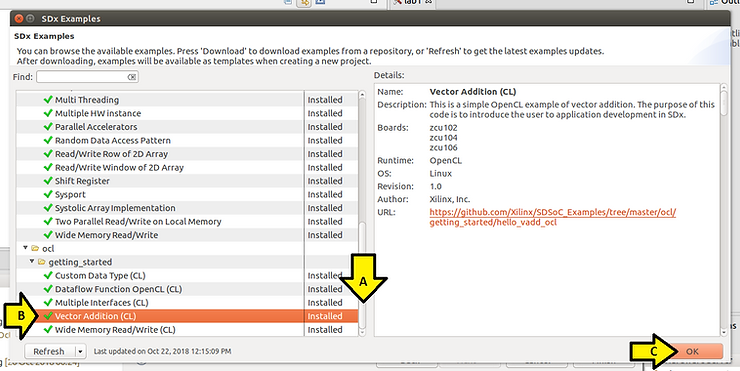
9. (A) Scroll down, (B) select Vector Addition (CL) and (C) click OK
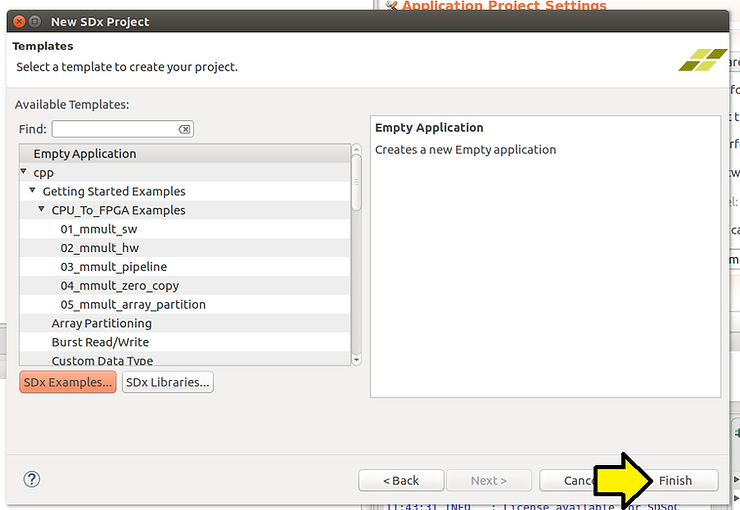
10. Click Finish
!!!Problem!!!
Step 11 does not work, project will not build
11. (A) Click vectoradd the (B) click the hammer icon to build

Problem:
Out of the box you’ll get:
make: *** No rule to make target ‘clean’. Stop. vectoradd C/C++ Problem
Workaround 1 (didn't work)
To work around this (A) right click on vectoradd and (B) click C/C++ Build Settings

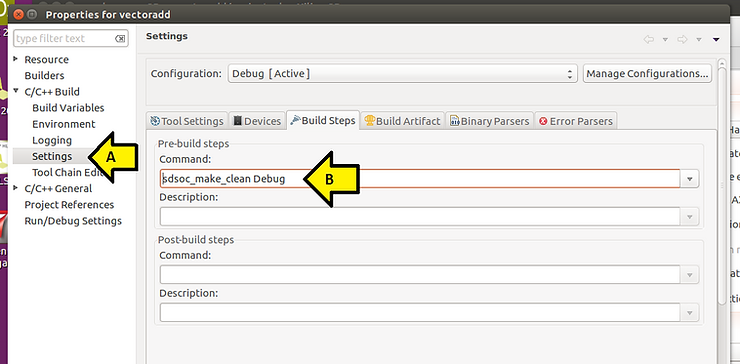
(A) Click Settings then (B) remove sdsoc_make_clean Debug
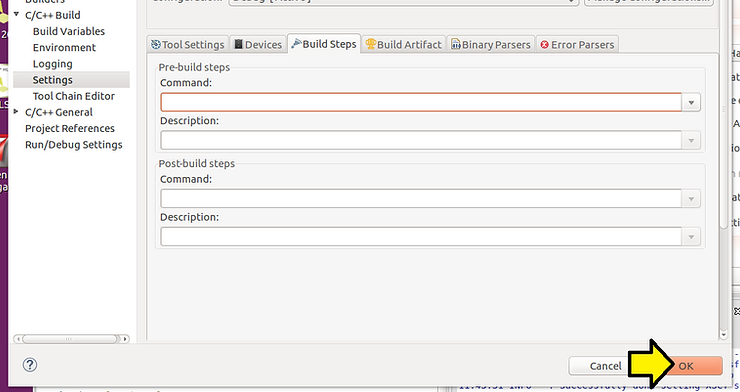
…then click OK
Workaround 2 (didn't work)
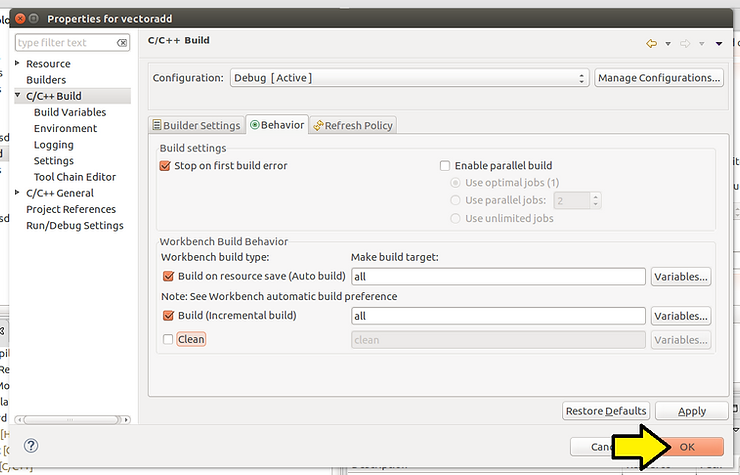
(A) Click C/C++ Build then (B) click the Clean checkbox off
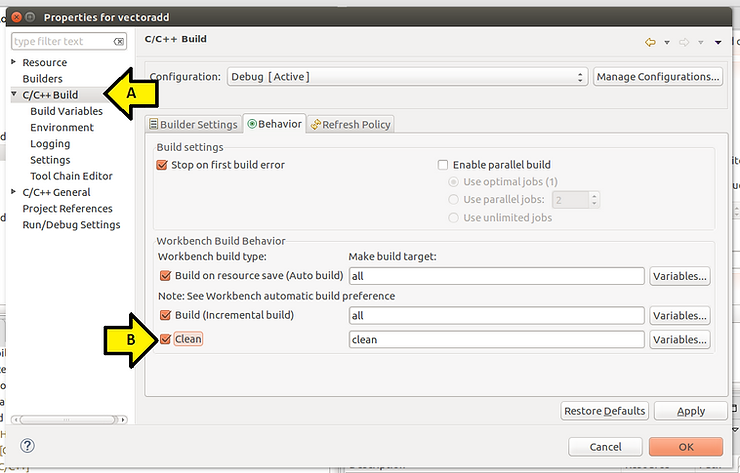
After clicking it off, click OK:
References

Notes
Difference between the Zynq UltraScale+ MPSoC (CG and EG) and the Zynq UltraScale+ MPSoC EV
The ZCU102 has a Zynq UltraScale+ MPSoC EG, the ZCU104 and ZCU106 have Zynq UltraScale+ MPSoC EV’s.
From [link] the EV is the EG + “an integrated H.264 / H.265 video codec capable of simultaneous encode and decode up to 4Kx2K (60fps)”